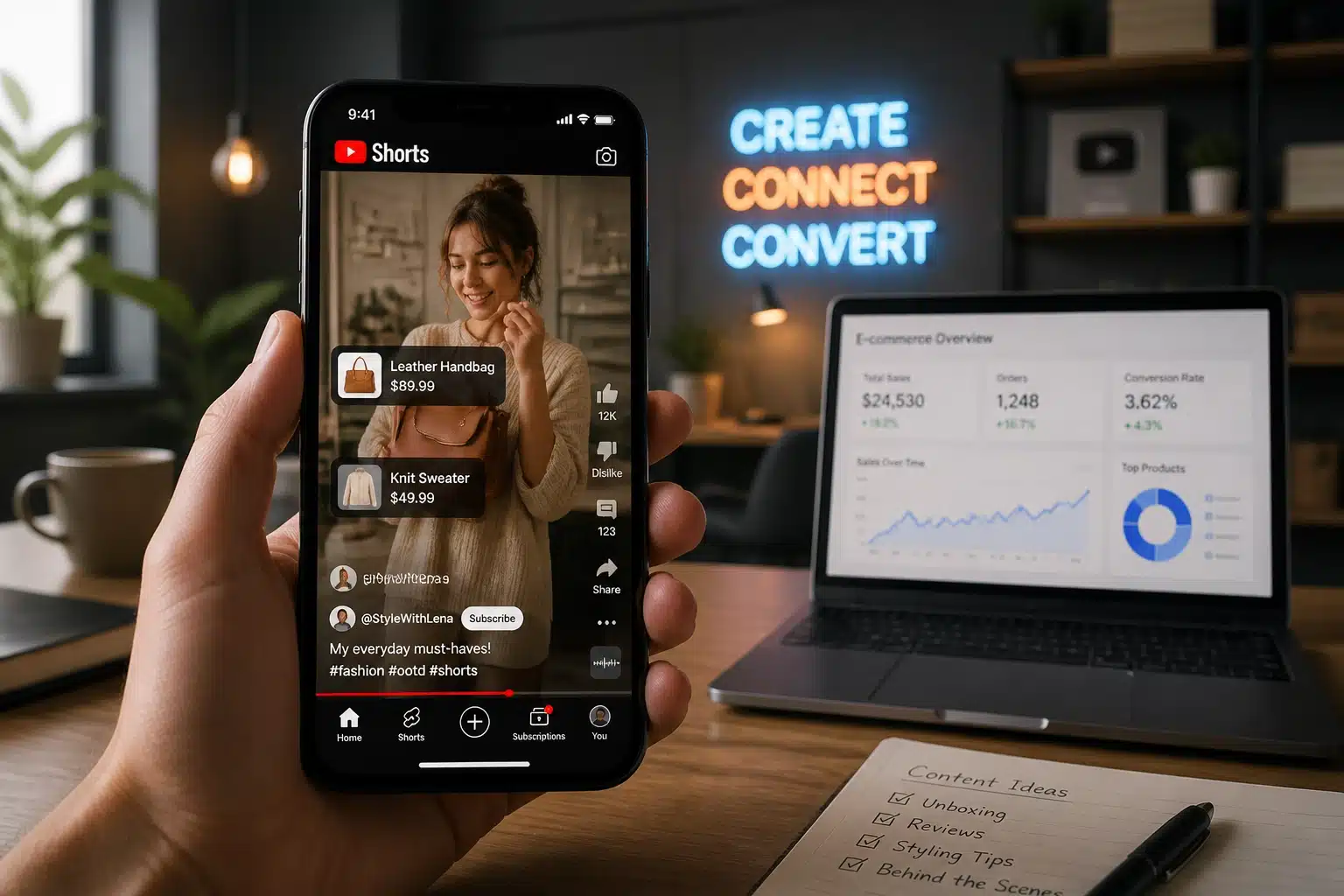
The digital marketplace is shifting faster than a 15-second clip. If you’ve been treating YouTube Shorts as just a “mini-version” of your long-form content, you are leaving money on the table. We are witnessing a massive transformation where video content isn’t just for entertainment, it’s the storefront.
For small business owners and digital creators, YouTube Shorts has evolved from a discovery tool into a powerhouse sales engine. With the introduction of integrated shopping features, you can now master the art of the “one-click” sale. In this YouTube marketing guide, we’ll explore how to unlock the potential of Shorts and provide a step-by-step roadmap to setting up in-app shopping so you can transform your views into revenue.
The Short-Form Revolution: Why Now?
Why is every major brand and savvy entrepreneur pivoting to Shorts? It’s simple: engagement and accessibility. Unlike long-form videos that require a significant time investment from the viewer, Shorts are designed for the high-frequency, “on-the-go” consumer.
For those focused on social media marketing for entrepreneurs, the low barrier to entry is a game-changer. You don’t need a Hollywood budget; you need a strategy. When you combine the viral reach of the Shorts algorithm with the direct-purchase capability of YouTube Shopping, you create a seamless journey from “I want that” to “Ordered.”

Step-by-Step: Setting Up YouTube In-App Shopping
To unleash your sales potential, you first need to get the technical foundation right. You can’t tag products if your “store” isn’t open for business on the platform.
1. Check Your Eligibility
Before you dive in, ensure your channel meets the current YouTube requirements:
- You must be part of the YouTube Partner Program.
- Your channel needs at least 1,000 subscribers (or be an Official Artist Channel).
- The channel cannot be marked as “Made for Kids.”
- No active Hate Speech Community Guideline strikes.
2. Connect Your E-commerce Store
YouTube doesn’t host your inventory; it integrates with it.
- Navigate to YouTube Studio: On the left-hand menu, select Earn.
- The Shopping Tab: Click on the Shopping tab at the top of the page.
- Connect Store: Click Get Started and choose your platform. YouTube currently supports major players like Shopify, Spring, and Spreadshop.
- Link & Sync: Follow the on-screen instructions to authorize the connection. Your product catalog will now sync with YouTube.
3. Tagging Products in Your Shorts
Once your store is live, tagging is where the magic happens.
- Upload Your Short: During the upload process in YouTube Studio, go to the Video Elements section.
- Select “Tag Products”: You can search for and tag up to 30 products per video.
- Strategic Placement: Ensure you are tagging items that actually appear in the video. Authenticity is key to high conversion rates.
Leveraging AI-Powered Social Media Tools for Small Business
Running a business and a content channel simultaneously is a marathon. To keep your pace, you must elevate your efficiency by using AI-powered social media tools for small business.
At Celestial Digital Services, we emphasize the “democratization” of technology. You no longer need a social media manager to write your scripts or edit your clips. Tools like ChatGPT can help you brainstorm high-converting hooks, while AI video editors can automatically reframe your long-form content into vertical Shorts.
Pro-Tip: To truly master this workflow, check out our course on Mastering YouTube Content Creation with AI to learn how to automate your content pipeline without losing your brand’s voice.

Advanced Tactics: Shoppable Timestamps and AEO
If your Shorts are on the longer side (60 seconds), you can utilize shoppable timestamps. This feature allows a product panel to expand automatically at a specific moment in your video.
Imagine you are demonstrating a product at the 45-second mark. Instead of the viewer having to look for a link, the product magically appears on their screen. This level of seamless transformation in the user experience is what separates the professionals from the amateurs.
Furthermore, don’t forget Answer Engine Optimization (AEO). As AI search engines like Perplexity and Google SGE become more prominent, tagging your products and using descriptive, keyword-rich titles for your Shorts ensures your products appear not just in the YouTube feed, but in AI-generated answers to consumer questions.
Scaling Your Success
Consistency is the heartbeat of social media growth. By combining high-quality video content with direct shopping links, you are building a sustainable ecosystem.

Key Takeaways for Entrepreneurs:
- Focus on the Hook: The first 3 seconds of your Short determine if someone buys or scrolls.
- Clear Call to Action (CTA): Tell your viewers exactly where to click. “Tap the View Products button” is a powerful directive.
- Analyze Your Data: Use the Analytics tab in YouTube Studio to see which products are getting the most clicks and adjust your inventory or content style accordingly.
For those looking to dive deeper into the technical side of things, our Google Business Profiles: A Complete Guide and AI Strategies for Boosting Revenue offer the perfect complement to your YouTube strategy.
FAQ: YouTube Shorts Shopping
Q: Do I have to pay a fee to YouTube for every sale?
A: YouTube typically takes a commission if you are using their affiliate program, but if you are linking your own Shopify or Spring store, the transaction is handled through your platform’s standard fees.
Q: Can I tag products in old Shorts?
A: Yes! You can go back to any previously uploaded Short in YouTube Studio and add product tags via the “Video Elements” editor.
Q: How many products should I tag?
A: While you can tag up to 30, it’s best to keep it focused. Tagging 1–3 highly relevant products usually results in better click-through rates than cluttering the screen.

Final Thoughts: Enroll and Evolve
The era of “passive” social media is over. Today, your content needs to work as hard as you do. By integrating YouTube Shopping into your Shorts strategy, you are not just posting videos; you are building a scalable, AI-powered commerce machine.
Are you ready to take command of your digital presence? Visit our full list of digital courses to find the specific tools you need to unleash your business potential. Whether it’s mastering SEO, learning TikTok Shop, or becoming a ChatGPT pro, we have the resources to help you thrive without breaking the bank.
Start your journey today and watch your digital storefront come to life!