
You want more people to see and click on your PDFs. Think like a reader: give them quick value, a clean layout, and an easy download path. This way, you can boost PDF downloads and turn visitors into subscribers with PDF lead magnets.
Convertible formats are key. Tools like PDF-XChange make files searchable and editable with OCR. This helps search engines and users find your content. For more impact, turn your PDF into an interactive flipbook. Platforms like FlippingBook make documents crawlable, add links, and host them on a high-authority domain. This drives traffic to your PDFs faster. Check out FlippingBook’s SEO features here: FlippingBook SEO.
Keep files light with tools like Smallpdf to avoid slow downloads. Use Canva or Beacon to design a strong cover and a readable layout. These steps improve PDF SEO and increase downloads without adding to your workload.
Key Takeaways
- Make PDFs searchable and readable to improve PDF SEO and findability.
- Convert PDFs to flipbooks to leverage domain authority and crawlability.
- Compress files for faster delivery and better user experience.
- Design PDF lead magnets that offer clear, immediate value.
- Use branded sharing options and internal links to boost PDF downloads.
Why driving traffic matters for your PDFs and flipbooks
You want readers to find your PDF quickly. Good PDF visibility turns it into a powerful lead magnet. When search engines show your content, more people click and download your flipbooks.
Using the right keywords in your PDF boosts its search visibility. Google and Bing look at titles, headings, and text. This can lead to a better snippet in search results and more clicks.
How visibility translates to downloads
If your PDF is on the first page of search results, more people will find it. This steady flow of visitors can turn into leads or customers. Adding a clear call-to-action in your PDF can encourage more downloads.
Search indexing vs. social sharing: two traffic pipelines
Search indexing and social sharing PDFs work in different ways. Search brings a steady flow of visitors through queries. Social sharing, on the other hand, can create quick spikes in visibility.
Use both methods. Make sure your PDF is optimized for search engines. Also, share links on social media to get immediate attention. You can link to a landing page or resource like an SEO roadmap to capture interest and drive conversions.
Domain authority and crawl budget benefits for hosted flipbooks
Hosting your flipbook on a trusted domain helps it get indexed faster. Sites with strong domain authority get crawled more often. This means your flipbook and its links and images are more likely to show up in search results.
Internal links and a clickable table of contents help crawlers find your content. This saves crawl budget and increases the chance that all your flipbook pages will be indexed.
Work on both search visibility for PDFs and targeted social sharing PDFs. This approach can greatly increase your PDF traffic and flipbook downloads. When your content offers clear value, you’ll see more success.
increase PDF downloads
You want more people to see and download your PDFs without feeling like you’re pushing them. View your PDF as a key part of your SEO and conversion strategy. By optimizing your PDF and designing great content, you can boost visibility and encourage more downloads.
Optimize the PDF content with target keywords
Put your target keywords in the right places: title, headings, first paragraph, and on every page. Use tools like PDF-XChange or Adobe Acrobat to make your PDF searchable. This way, search engines and site search can find your content. Proper keyword use can help your PDF show up in search results and get more clicks.
Design your PDF to be a quick, valuable lead magnet
Make your PDF just the right length: useful but easy to scan. Mix together blog posts, case studies, or checklists into a single PDF. Use Canva, Beacon, or Designrr to make it look good and easy to read.
Use clear calls-to-action and download gates to boost conversion
Put clear PDF CTAs on the cover, sidebars, and preview pages. Offer a free sample and gate the full PDF with an opt-in form. This way, you give value first and get emails in return. Try different CTA placements and words to see what works best.
Make PDFs SEO-friendly: metadata, text, and structure
You want your PDFs to show up in search and convert visitors into leads. Start by treating each file like a web page. Use clear headings, compact paragraphs, and an accessible layout.
Begin with strong PDF metadata. Use tools like PDF-XChange or Adobe Acrobat to edit titles, authors, and descriptions. A descriptive title and meta description improve snippet relevance when your SEO PDFs appear in search results.
Make text selectable and searchable. Run OCR on scans and keep text as text, not images. Searchable PDFs let Google and other engines index your content, which boosts discovery and organic downloads.
Use meaningful file names. Replace generic names like report.pdf with concise phrases that reflect the topic. Good file names combined with quality PDF metadata help crawlers connect your document to relevant queries.
Add PDF alt text for images. Every visual should include alt text that explains the image and supports the surrounding copy. Alt text helps accessibility and gives another signal to search engines about the file’s subject.
Keep headings clear and hierarchical. Use H1, H2, and H3 equivalents in your PDF so screen readers and bots can follow structure. When converting blog posts with Designrr or Beacon, preserve those heading tags for better parsing.
Check PDF accessibility features. Tag documents for screen readers, add a logical reading order, and include bookmarks for long files. PDF accessibility reduces friction for users and raises the chances your document will be indexed and shared.
Compress files without stripping text. Tools like Smallpdf shrink file size for fast downloads while keeping text searchable. Smaller, accessible PDFs load faster and keep more users engaged.
Convert PDFs into SEO-optimized flipbooks for extra reach
You want your PDFs to earn traffic, not sit buried on a drive. Converting a PDF to flipbook gives each file a web presence that search engines can crawl. This turns static pages into discoverable content and helps flipbook SEO work for you.
Flipbooks improve crawlability because they expose text, headings, and internal links in an HTML-friendly viewer. When you publish SEO flipbooks, crawlers can follow clickable tables of contents and links the same way they follow a site menu. This boosts indexation and makes it easier for Google to understand what your content is about.
Interactive flipbooks raise on-page engagement. Adding video, GIFs, quizzes, or pop-up CTAs keeps people reading longer. Increased dwell time sends positive signals to search engines, which can lift rankings and visibility for the pages that host your flipbooks.
Hosting matters. Putting flipbooks on high-authority platforms, such as established publishing services, speeds indexing thanks to domain trust and generous crawl budgets. Each flipbook behaves like its own web entity, so even new sites can gain quick exposure by publishing there.
Privacy controls give you options. You can appear in search while disabling print or download. Built-in analytics and lead capture forms let you track who reads and convert visits into subscribers or leads without sacrificing SEO flipbooks’ discoverability.
Quick checklist to convert PDF to flipbook effectively:
- Ensure searchable text inside the PDF before conversion.
- Add a clickable table of contents and internal links.
- Embed a short video or a single quiz to increase dwell time.
- Host on a trusted platform to speed up indexing.
- Use descriptive titles and meta-friendly summaries for each flipbook.
| Benefit | What to do | Expected SEO impact |
|---|---|---|
| Improved crawlability | Convert PDF to flipbook with searchable text and TOC | Faster indexing, clearer content signals |
| Higher engagement | Add video, GIFs, and interactive CTAs | Longer dwell time, higher ranking |
| Faster discovery | Host on high-authority domains | Quicker visibility and more organic clicks |
| Conversion tracking | Enable built-in analytics and lead forms | Better optimization through real data |
| Control and privacy | Disable downloads while keeping public indexability | Protect assets without losing search traffic |
Design and content strategies for high-converting PDFs
Good PDF design and sharp content turn casual readers into leads. Aim for a compact guide that reads fast, offers clear actions, and feels polished. Use proven PDF creation tools to speed the process and keep your focus on value.
Your sweet spot length should sit between a quick checklist and a short guide. Give readers enough depth to trust you, but not so much that they click away. Break sections into bite-sized bits with bold headers, short paragraphs, and summary boxes.
Use PDF templates to maintain a consistent look. Canva offers simple drag-and-drop templates that speed layout work. Beacon and Designrr convert blog posts into lead magnets while preserving brand styles. Pick templates that match your voice, then tweak fonts, colors, and spacing.
Merge content upgrades into one attractive download. Combine a how-to post, checklist, and case snippet into a single guide. Tools like PrintFriendly and ilovepdf help you extract and merge pages while keeping headings and links intact. Editing with PDF-XChange helps polish copy, run OCR on images, and correct layout issues before final export.
Optimize for conversion with clear calls-to-action on the cover and end pages. Add simple opt-in forms or buttons on the final page so readers can act without hunting. Test different CTAs, cover images, and summary lengths to see what converts best.
Watch file size to protect user experience. Compress large files with Smallpdf or similar services so downloads are fast and hosting doesn’t slow your site. Smaller files also improve mobile access and decrease bounce rates.
Round out your workflow with a shortlist:
- Start with a proven PDF template and tweak for brand fit.
- Use PDF creation tools to convert and refine blog posts into guides.
- Merge content upgrades into a single lead magnet for speed.
- Edit and OCR with PDF-XChange, then compress with Smallpdf.
Follow this plan to produce high-converting PDFs that look professional, load fast, and turn readers into subscribers.
Promote your PDFs: sharing, embeds, QR codes, and social
Want more people to see your PDFs? Start with small, focused actions that get clicks and shares. Use social media and messenger links to quickly spread your PDFs. This also helps search engines see your content more often.
Share direct links across social networks and messengers
Share direct links that show up well on Facebook, LinkedIn, and Twitter. A good teaser and call-to-action can turn a scroll into a download. Use WhatsApp and Telegram for specific groups or personal outreach.
Embed flipbooks on your site to increase dwell time and SEO
Embedding flipbooks on busy pages keeps visitors engaged longer. This can improve your site’s ranking and make your content feel more at home. Use tools like FlippingBook or Issuu to embed flipbooks smoothly.
Generate and place QR codes for offline to online conversions
Put QR codes for PDFs on printed materials like brochures and business cards. This connects offline events and stores to your digital content. It’s a great way to reach new people without manual entry.
Offer content upgrades on your blog to engage readers who already trust you. Place CTAs where they make sense, not everywhere. Mix social media with organic promotion for steady downloads over time.
Link building and internal linking to boost PDF visibility
You want more people to see your flipbooks and PDFs. Start by getting quality backlinks from relevant sites. When others link to your PDFs, search engines see it as a vote of confidence.
Use PDF link building in a natural way. Share your flipbook on LinkedIn, Twitter, and niche forums. Ask partners to link to your guide in their resource pages. Add links in outreach emails when you pitch guest posts or collaborations.
Earn backlinks and attract authority
Create linkable assets like ultimate guides or toolkits. People will want to cite them. Place content upgrades on high-traffic posts to funnel authority to your PDFs. Learn more at how to optimise PDF downloads for.
Use targeted outreach to show editors and bloggers why your flipbook is valuable. A steady stream of backlinks raises page authority and brings clicks from trusted sources.
Use internal links and clickable navigation
Make internal links in flipbooks obvious and useful. Add a clickable table of contents and related-article links. These links help crawlers find every page and boost the indexability of embedded PDFs.
Embed links from high-traffic pages back to your PDF or flipbook. This channels page authority and improves crawl depth. Your site’s own pages can become reliable referral sources for downloads.
Promote branded links to lift CTR
Branded links outperform long, messy URLs in search and social feeds. Use short, branded links when sharing a flipbook in tweets, email, or press mentions. People are more likely to click a clear, trusted brand link than a generic string of characters.
Combine branded links with thoughtful placement on landing pages, resource hubs, and partner sites. This mix of brand signals and useful linking accelerates clicks and signals relevance to search engines.
| Action | Benefit | Quick Tip |
|---|---|---|
| Guest post with PDF reference | Earn contextual backlinks to PDFs | Include one branded link and one deep internal link |
| Clickable TOC inside flipbook | Improves crawlability and user navigation | Use short anchor text and reliable internal links in flipbooks |
| Content upgrade on popular post | Creates internal linking opportunities | Link directly to the download from the upgrade CTA |
For trust signals that support link acquisition, explore additional strategies like leveraging industry directories and credibility markers at SEO trust signals. Use a mix of outreach, internal links, and branded links to make your PDFs and flipbooks easy to find and hard to ignore.
Use analytics and A/B testing to refine downloads strategy
You want to know what makes people download your PDFs. Start by looking at PDF analytics and flipbook stats. These tools show you which topics people like and which calls to action don’t work.
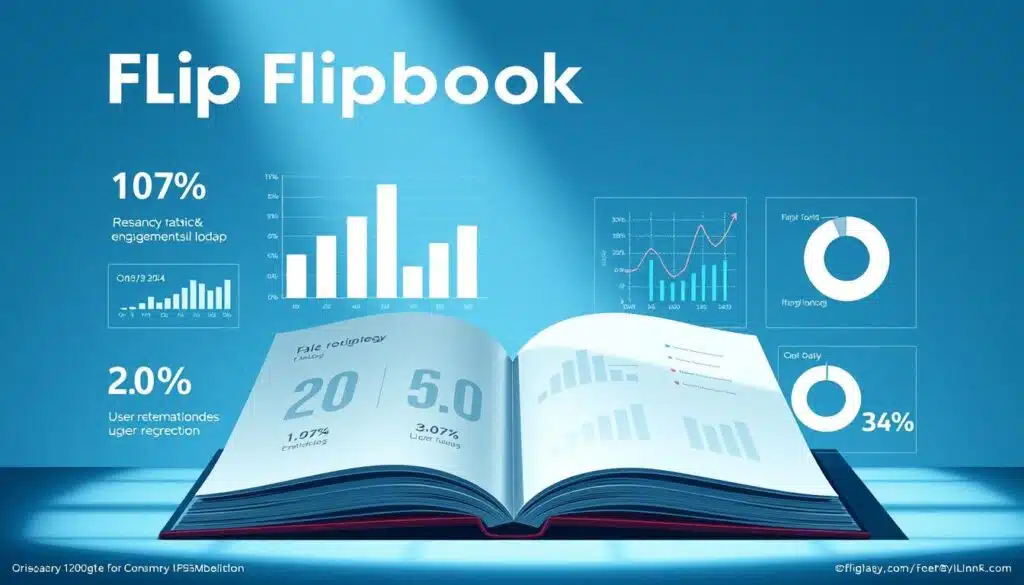
Check the flipbook stats for search terms users type in. This helps you improve the PDF text and metadata without changing the link. Use Google Analytics and UTM tags to see where people are coming from and track downloads.
Track search queries and user behavior with built-in flipbook stats
Look at views, average read time, and page exits to know what to focus on. Lead form responses can tell you what people want. For a quick guide on analytics, check out chatbot analytics.
A/B test cover images, CTAs, and opt-in forms to improve conversions
Try simple tests where one thing changes at a time. Swap out cover art, headlines, or button colors. Small changes can make a big difference in getting people to download your PDF.
Measure traffic sources to double down on high-performing channels
Look at your data by source like search, social, direct, embed, and messenger. Use flipbook stats and platform analytics to find out which channels work best. When you find a winner, invest more in that channel and keep improving your content.
Keep your tests short and easy to measure. If you see a clear winner, use that version and note the change. Over time, this will increase your conversions while you spend less time guessing.
Optimize file size, privacy, and delivery for user experience
You want PDFs that load fast, keep your work safe, and give readers choices. Making small changes can make pages load quicker and keep users happy. Focus on making files smaller, protecting privacy, and giving clear delivery options to keep users engaged.
Compress PDFs
Big files slow things down. Use tools like Smallpdf or PDF-XChange to make PDFs smaller without losing quality. Remove extra images and only use OCR where needed for fast downloads and searchable text.
Control PDF privacy
Keep your work safe with privacy settings that let search engines find it. Flipbook platforms let you stop printing and direct downloads but keep content searchable. This way, you protect your work while keeping it visible online.
Offer flexible PDF delivery options
Readers like different ways to get your PDFs. Offer a direct link for quick access, an email option for lead capture, and an embedded viewer for on-site reading. Use built-in lead forms in flipbooks to collect emails without making it hard for readers.
Fast hosting and compressed files make for a better PDF experience. Clear calls to action and predictable behavior make downloads easy and boost sales. Try different delivery options to see what works best for you.
| Issue | Solution | Impact on PDF UX |
|---|---|---|
| Huge file size | Compress with Smallpdf or PDF-XChange; remove unused objects | Faster downloads; fewer abandoned attempts |
| Searchability lost after compression | Apply OCR selectively; keep searchable text layers | Maintains indexability and organic discovery |
| Risk of unauthorized printing | Disable print/download in flipbook settings while allowing crawl | Protects IP and preserves discoverability |
| Single delivery path | Offer direct link, email gate, and embedded viewer | Improves conversions and reader satisfaction |
| Slow hosting | Use CDN or fast hosting and serve compressed files | Consistent fast downloads across regions |
Conclusion
You’ve learned how to boost PDF downloads with simple steps. First, make PDFs searchable with OCR and add metadata. Then, use tools like Smallpdf to compress files.
Design your PDFs with Canva, Beacon, or Designrr for a professional look. Turn key assets into flipbooks for better searchability and fun interactivity. Hosting these flipbooks on trusted sites helps them get indexed faster and improves SEO.
Promote your PDFs wisely. Share direct links, embed viewers, and create QR codes for print. Also, swap links in messenger threads to get more views. Use tools like PDF-XChange to edit metadata and make text searchable before uploading.
Then, use analytics and A/B testing to make your PDFs even better. Try different covers, calls to action, and opt-in gates. This way, you can make your PDFs more appealing and effective.
Think of PDF lead magnets as part of a bigger system. Turn blog posts into guides, get backlinks, and add links inside flipbooks to reach more people. By combining design, hosting, promotion, and data analysis, you’ll see a big increase in PDF downloads and better discoverability over time.