
You built a chatbot to save time and win customers, but are you flying blind? Every message, quick reply, and abandoned form is a breadcrumb that tells a story. Chatbot analytics turns that trail into conversational AI insights so you can stop guessing and start improving chatbot performance.
Think of chatbot analytics as the engine behind bot optimization. It’s the systematic collection and measurement of conversation data that shows where users drop off, what questions repeat, and which flows actually convert. In restaurants, bots reveal drop-offs when menus ask for too much info; in banking, conversation data can surface loan interest signals after balance checks.
In today’s zero-click world, on-site chats carry higher intent than page views. Focusing on the right chatbot KPIs — not every metric under the sun — lets you boost experience, cut costs, and drive measurable outcomes. If you want a roadmap to prioritize metrics and act on what matters, start with the basics and iterate.
Want help choosing the right chatbot or measuring the right KPIs? Explore practical guidance at choose the right chatbot to match your goals and scale smarter.
Key Takeaways
- Chatbot analytics converts every interaction into actionable conversational AI insights.
- Tracking focused chatbot KPIs helps you find friction and improve chatbot performance.
- Conversation data reveals why users drop off and how to optimize flows for conversion.
- Bot optimization pays off across industries, from hospitality to finance.
- Prioritize a few high-impact metrics and iterate—more data means little unless you act on it.
What is Chatbot Analytics
You want to know how your chatbot is doing. Chatbot analytics is about tracking and analyzing how users interact with your bot. It shows what users want, how they feel, and if they’re happy.
This includes looking at how conversations start and end, how often users come back, and how quickly your bot responds. It also looks at how well your bot solves problems and how users feel about their experience.
Definition and scope
Think of chatbot analytics as a review for your automated chats. It looks at each message, how conversations begin and end, and how often users come back. It also checks how long it takes for your bot to respond.
Important metrics include how many times users interact with your bot, how long those interactions last, and how often your bot solves problems on its own. It also looks at how users feel about their experience, known as CSAT.
Why it matters for your business
Chatbots can help your business by reducing the need for human help, answering questions faster, and improving sales. By understanding why users might leave a conversation early, you can make your chatbot better.
You can also train your bot to handle more complex topics, reducing the need for human help. This can include suggesting products or services based on a user’s previous actions.
Conversation analytics turns chat logs into useful insights. It helps you understand what users really need, even if they don’t find it on your website. This way, you can provide consistent, high-quality answers, building trust and encouraging users to come back.
How conversation data differs from traditional analytics
Conversational data is more than just tracking how users engage with your site. It looks at what users want, how they feel, and their choices during conversations. This gives you a deeper understanding of their needs and preferences.
Unlike traditional web analytics, which focuses on page views and clicks, conversation analytics provides insights into intent, tone, and decision-making paths. This allows you to measure how well your bot is doing in ways that standard tools can’t.
To manage your chatbot effectively, you need to track specific metrics. These include how often users need human help, how well your bot solves problems, and how users feel about their experience. For a practical example, check out botpress.
Key Metrics You Must Track with Chatbot analytics
You need a few key metrics to check if your chatbot is working well. Group these into user, conversation, and outcome categories. This makes it easier to spot trends and fix problems quickly.
Core user metrics
Start by tracking the total number of users. This shows how many people are using your chatbot and if your marketing is working. Also, look at unique users to see if you’re getting repeat visitors.
Active and engaged users are important too. They show if people are actually doing something with your chatbot. Keep an eye on these numbers to see if your chatbot is effective.
Conversation metrics
Session length and message count tell you how deep conversations are. Short sessions and few messages might mean there’s a problem.
Bounce rate is another key metric. It shows if people are leaving quickly, possibly because they’re confused. Use this info to make your chatbot’s welcome and quick replies clearer.
Outcome metrics
Resolution rate shows how often your chatbot solves problems without needing a human. Keep an eye on this and the human handoff rate to see when you need to step in.
CSAT, or customer satisfaction, gives you direct feedback from users. Deflection rate shows how much work your chatbot saves your team. ROI ties these benefits to your bottom line.
Here’s a quick comparison to help you focus. Use industry benchmarks as a starting point, then adjust based on your goals.
| Metric Group | Key Metrics | Why it matters | Quick action |
|---|---|---|---|
| Users | total users, unique users, active users | Shows reach, audience quality, promotional lift | Adjust targeting, refine entry points |
| Conversation | session length, message count, bounce rate | Reveals depth, friction, and weak openings | Simplify flows, improve prompts |
| Outcomes | resolution rate, CSAT, deflection rate, ROI | Measures success, satisfaction, cost impact | Optimize answers, expand self-service, report savings |
| Support ops | human handoff rate, automation rate, ticket reduction | Connects bot to agent workload and cost | Train intents, improve KB, reroute efficiently |
| Business | conversion rate, retention, revenue impact | Ties analytics to real business outcomes | Test CTAs, measure lifecycle lift |
Lead Generation and Conversion Metrics
You want to know if your chatbot is helping people buy. Start by checking how often visitors give you their contact info. If it’s low, your offers might be weak or your CTAs hard to find.
Measuring lead capture from chat
Watch how users share info. Mark when they give you their email or phone number. Connect these actions to your CRM to see how chatbot leads compare to others.
Testing CTAs and chat prompts
Improving CTAs means getting them right in terms of placement and copy. Use quick buttons for easy wins and place important CTAs where they’re seen. Test different prompts to see what works best.
Attribution and revenue tracking
Link chatbot actions to sales in your analytics. Send chat session IDs to Google Analytics or Salesforce. This way, you can see how much chatbot conversions are worth.
Practical benchmarks and dashboards
- Record lead generation rate weekly to spot trends.
- Compare chatbot conversions to email and paid channels.
- Show conversion attribution in dashboards to justify budgets.
Quantifying chatbot revenue impact helps justify spending. Small tweaks to CTAs and prompts can lead to big gains in sales.
Understanding Conversation Flow: Common Options and Message Patterns
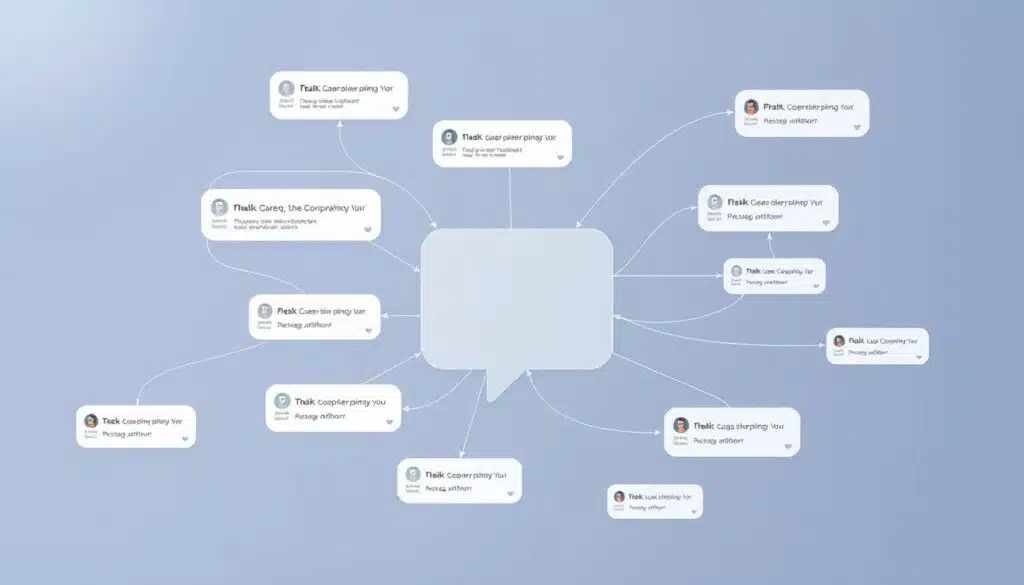
You want your bot to feel smart, not stubborn. Start by mapping popular user paths. This shows what people choose first and where they go off track. By analyzing these paths, you can highlight important options like order tracking or billing.
Use quick replies to make these choices more accessible. This cuts down the time it takes to get an answer.
Analyzing popular paths and quick-reply usage
Track which paths are most visited and which quick replies are used the most. Quick replies show common questions and help speed up the chat.
Use dashboards to see which paths are popular and which are not. This helps you focus on the most important options. For more insights, check out conversational analytics.
Identifying underused options to simplify flows
If a path is rarely chosen, consider removing it. Options that are not used often can confuse users and slow down the chat.
By merging or removing these options, you can make the chat easier to use. Then, test again to see if it works better.
Using message count and session length to spot friction
Message patterns and session length can show where users get stuck. Short sessions might mean users gave up. Long sessions could mean they’re really engaged or finding it too hard.
Look closely at chat transcripts to find where users get stuck. Make changes to prompts and quick replies to help. Watch how these changes affect the chat.
- Use message count as an early warning for confusing flows.
- Watch user paths to promote top tasks and remove clutter.
- Monitor quick replies to catch new intents and speed resolutions.
No-code tools can help you make changes quickly. They let you test new ideas in days, not months. For more tips on designing chat flows fast, check out no-code chatbot builders.
Resolution and Efficiency Metrics
You want your chatbot to solve problems quickly and keep customers happy. Track a few key metrics to see where you’re doing well and where you can improve.
Resolution rate and first contact resolution (FCR)
Resolution rate shows how often your bot solves problems without human help. First contact resolution tells you how often issues are fixed in the first chat. Low numbers mean your bot might not be answering questions well or flows could be confusing.
Average resolution time and handle time optimization
Average resolution time and handle time show how long it takes to solve a case. Long times often mean too many questions or unclear answers. Shorten steps, pre-fill fields, and refine prompts to speed things up.
How to reduce resolution time by improving knowledge base and flows
To cut down resolution time, make your knowledge base better with clear, ready answers for common issues. Add quick billing and refund entries, and remove extra form fields that slow things down.
Use dashboards that show first contact resolution, deflection, and CSAT together. This helps keep efficiency gains from being overlooked for satisfaction.
Make practical changes like focusing on high-impact fixes, automating routine replies, and updating articles based on chat transcripts. These steps reduce human involvement and lower ticket volume.
Frequent Queries and Intent Analysis
You want quick wins from your bot data. Start by scanning frequent queries. Look for repeat problems like “How do I reset my password?”
Those recurring questions show where your UX or product flows need work. They guide you to make targeted fixes.
https://www.youtube.com/watch?v=MaSzKNtDa28
Detecting top intents
Track the top intents hitting your bot. Rank them by volume and failed resolutions. This way, you see where answers succeed and where they fail.
Using frequent queries to expand your knowledge base
Turn frequent queries into FAQ pages and knowledge base articles. Add quick replies for common topics like shipping or appointment scheduling. This cuts friction and lowers handle time.
Surface unseen intents
Monitor unmatched queries and fallback messages to find unseen intents. Create a dashboard widget that lists “Top Unseen Intents/Topics Without Answers.” This helps you prioritize training and content creation.
You should pair transcript review with customer feedback loops. This catches slang, regional variants, and edge cases that automated intent analysis misses. Continuous training closes knowledge base gaps and brings down fallback rates.
- Log frequent queries weekly to spot trends.
- Prioritize top intents that affect revenue or support load.
- Tag unseen intents for rapid content or model updates.
Engagement and Retention Metrics
You want to know if your chatbot is really helping, not just a fun gadget. Look at total sessions and unique users to see if it’s reaching many or just a few. Total sessions show when it’s busiest, while unique users tell you how many different people use it.
Check your dashboard for engagement metrics to find out who’s really using your chatbot. Users who stick around longer and have more meaningful chats are engaged. If a few people use it a lot, it might be a sign of loyal users. But if lots of people use it briefly, it might not be as effective.
Retention rate shows if your chatbot is adding value over time. If people keep coming back, it’s doing something right. Look at what features they like and what they don’t.
Seasonal trends and campaigns can really affect your chatbot’s use. Promotions and holidays can bring in a lot of traffic. Make sure you’re ready for these times by planning your team and adjusting your chatbot’s responses.
Use tools to track active users, how often they come back, and how campaigns affect your chatbot. A good resource is the chatbot analytics ultimate guide. It helps you understand how to use data to improve your chatbot, like Santander Consumer Bank did.
Create simple reports that show total sessions, unique users, retention rate, and seasonal trends. Keep your charts clear. If you notice a problem, try changing something and see if it helps.
Quality Signals: CSAT, Sentiment, and Human Handoff
You want to know if your chatbot is helping or annoying customers. Tracking CSAT from post-chat surveys shows satisfaction levels. Sentiment analysis flags tone shifts that might be missed in scores. Also, watching the human handoff rate helps you know when to let an agent take over.
Collecting CSAT and interpreting post-chat feedback
Keep post-chat surveys short and simple. A star rating, a one-line comment, or an emoji works best. Short forms increase response rates and help you pinpoint issues in specific flows, like billing or onboarding.
Review trends weekly to catch repeat problems early.
Sentiment analysis for tone and experience monitoring
Use sentiment analysis to catch frustration early, not just after a bad CSAT. A neutral score with rising negative sentiment can show a worsening experience. Match sentiment trends with conversation transcripts to focus on fixing issues where emotions and problems meet.
Human handoff rate: when to escalate and how to make it seamless
Measure human handoff rate alongside CSAT and first contact resolution to judge escalation quality. Some handoffs are needed for complex queries in finance and telecom. High handoff rates often mean gaps in training or content.
Make handoffs seamless by sending full chat context to agents. This reduces repetition, shortens resolution time, and boosts agent satisfaction. Train agents on escalation best practices so customers feel a smooth transition.
Use these quality signals together. CSAT, sentiment analysis, human handoff rate, and post-chat surveys form a compact toolkit. They help refine flows, reduce friction, and keep customers coming back.
Failure Modes: Fallback Rate and Missed Intents
You want fewer “I didn’t get that” replies and smoother chats. Start by measuring fallback rate to spot where your bot stumbles. A rising fallback rate often signals unclear wording, gaps in training, or unexpected user language.
Do transcript analysis regularly. Reading real conversations surfaces slang, rare edge cases, and phrasing that trips up intent classifiers. Transcript analysis pairs well with dashboard signals to reveal patterns of missed intents and repeated confusion.
Use targeted NLP training to close gaps. Add common variations, synonyms, and short examples to intents. Keep utterances simple. Small, focused updates to your training set reduce ambiguity and help you reduce fallbacks.
Combine human review with automated monitoring. Flag clusters of missed intents, then prioritize fixes by volume and business impact. Run A/B tests on phrasing and flow changes to confirm what lowers fallback rate and improves accuracy.
Watch for LLM-era issues like hallucinations and unseen requests. Track missed messages and fallback trends to catch new failure modes early. Continuous retraining and knowledge base enrichment keep your bot learning and responsive.
AI-Specific Metrics and LLM Considerations

Working with large language models requires specific metrics. These help balance user experience with cost and reliability. You should track, act on, and report on these metrics.
Token consumption is key to spending on models from OpenAI and Anthropic. Keep an eye on tokens per session and response. Cutting down on unnecessary words in prompts can save money without losing clarity.
Intent recognition accuracy is vital for correct conversation routing. Compare it with labeled transcripts and look at fallback rates and CSAT. Low accuracy can cost time and trust, so focus on improving it.
AI feedback is a direct way to understand user needs. Use thumbs up/down, comments, and ratings to improve models. This feedback helps spot issues before they affect accuracy.
To avoid hallucinations, set clear prompts and limit open-ended questions for sensitive topics. Use human review for critical answers. A feedback loop can help catch and correct errors over time.
LLM metrics should be alongside traditional bot KPIs. Compare costs to outcomes like resolution rate and CSAT. Tools like BotPenguin help link token use to ROI and outcomes.
Bias reduction needs careful dataset curation and audits. Test models across different groups and edge cases. Human checks are essential when AI confidence is low. This approach improves answer quality and reduces harm.
Stay ahead by watching trends in predictive analytics and emotion-aware AI. These will shape your success metrics and model upgrade priorities. Focus on token efficiency, intent accuracy, and AI feedback in your planning.
Dashboards, Deflection Rate, and Turning Data Into Action
You need a solid plan to turn numbers into real results. Start with a clear goal for your AI support dashboard. It should show automated solutions, transfers, unseen intents, CSAT, and live chats. A good dashboard helps you find training needs, token cost problems, and key areas to improve deflection while keeping customers happy.
Designing an AI support dashboard that surfaces the right KPIs
Choose dashboard KPIs that tell a story quickly. Show automated solutions, handoffs, unseen intents, CSAT trends, and live chats. Use widgets to compare self-service success with human help so you can focus on what needs fixing.
Keep widgets simple and actionable. Add filters for channel, intent, and time range to find problems fast. Include A/B test results and feedback loops to see how changes affect things.
Calculating deflection rate and ensuring quality deflection
Calculate deflection rate as (Self-Service Resolutions S / Total Inquiries T) × 100. This shows how often customers solve issues on their own. Track it with CSAT and first contact resolution to avoid bad deflection where issues aren’t solved.
Quality deflection means high self-service numbers, strong CSAT, and FCR. Watch transcripts for partial solves and repeat contacts. If deflection goes up but CSAT drops, look into intents, content, or handoff quality.
Nine practical tactics to lift deflection without hurting CSAT
- Use advanced NLP and ML to understand complex queries and reduce misroutes.
- Implement proactive feedback widgets like thumbs up/down to get instant feedback.
- Update your knowledge base and FAQs regularly.
- Make human handoffs context-preserving so agents get chat history and intent data.
- Integrate the bot with CRM and backend systems to make self-service actions real and measurable.
- Optimize self-service content for internal and external search so answers are easy to find.
- Promote self-service options across channels with clear CTAs and entry points.
- Commit to continuous intent training and model tuning based on transcript review.
- Improve conversation design to reduce friction, shorten paths, and guide users to success.
Turn these tactics into experiments. Use your dashboard KPIs to A/B test changes, collect user feedback, and improve. For a quick guide to building low-code or no-code chat flows, see no-code chatbot builders.
Track progress in short cycles and be ruthless about removing poor paths. This habit will boost deflection while keeping CSAT healthy and business outcomes on track.
Conclusion
Chatbot analytics is key because it tracks many important metrics. These include lead generation, resolution time, and customer satisfaction. By monitoring these, you can make your chatbot more effective.
Don’t just look at one number. Combine metrics like deflection with CSAT and FCR. This helps you tackle the real issues behind the data.
To improve your chatbot, create dashboards that show important KPIs. Keep feedback loops short. Use A/B testing and customer feedback to make your chatbot better.
Update your chatbot’s knowledge base often. Also, watch your costs if you use large language models.
For your next steps, set up regular reports and focus on fixes that boost satisfaction and efficiency. Make sure your chatbot is private and compliant. And always measure ROI to justify more investment.
By following these steps, you can cut support costs, increase conversions, and improve customer experience. You’ll make your chatbot better, one small change at a time.