
When you post on Instagram and see only six likes, it’s a wake-up call. You realize you can’t just guess what works on social media. You need analytics to find out what grabs attention, the best times to post, and what starts conversations.
Using good social media tracking can save you hours. I tried out tools like Socialinsider and Hootsuite, and they made finding data easy. They show you which posts work best and help you see the value of your social media efforts.
For game studios, tools like GameAnalytics and PipelineIQ are key. They give you real-time data on player behavior and help with making money and keeping players. The right tools help you make smart decisions based on data.
Setting clear goals is important for tracking social media. It helps you see how your efforts are paying off. With the right tools, you can make informed decisions and improve your content strategy.
Want to stop guessing and start measuring? Check out social media analytics that can really help your business.
Key Takeaways
- One underperforming post can reveal the need for consistent social media analytics over guessing.
- Social media tracking tools save time compared with manual Excel work and offer deeper insights.
- Top tools like Socialinsider, Hootsuite, Buffer Analyze, and Brandwatch each score differently on ease, AI, and historical data.
- SMART KPIs link social metrics to business goals and make it easier to prove social ROI.
- Game studios need analytics that support real-time player segmentation and monetization tracking.
Why you need to track social media performance
Ever heard of a LinkedIn post getting six likes and being called “engaging”? It’s a common trap. Tracking social media performance helps avoid this. It shows you which posts work best, the best times to post, and what your competitors do right.
From six likes to strategy — the story behind tracking
Starting with just one metric can keep you stuck. Tracking lets you see patterns in different formats, captions, and times. For example, a LinkedIn campaign might bring in $10,000 in value, 4,000 new followers, and a 25% increase in demo requests.
These numbers turn stories into actions you can repeat.
How tracking saves you time and proves ROI
Analytics tools save you time by combining native metrics in one place. They also create reports automatically. This means you can show social media ROI to stakeholders quickly, not slowly.
Unlocking social media analytics makes it easier to update stakeholders and justify spending.
Linking social metrics to business objectives
Liking and impressions don’t mean much unless they help your business goals. Turn metrics into KPIs for awareness, traffic, engagement, conversions, and customer care. This way, every report helps you make a decision.
For game studios and apps, tracking is key for getting users, keeping them engaged, and making money. Tools like GameAnalytics and AnalyticsIQ give deep insights and ready-made pipelines. This helps link social campaigns to user value and measure true ROI.
Define clear goals and SMART KPIs for social success
Start by setting goals that align with your business objectives. Choose metrics that show ROI and reveal how your audience behaves. Use tools to get quick summaries and tell the story behind each KPI.
Align KPIs with four outcomes: awareness, engagement, conversion, and customer care. For awareness, track reach, impressions, and follower growth. For engagement, measure likes, comments, shares, saves, and amplification rate.
For conversion, monitor CTR and conversion rate. For customer care, watch average response time and CSAT. This makes it easy to explain your choices when stakeholders ask.
Want ready-made KPI examples? Try these SMART statements: “Grow Instagram followers by 10% in 90 days,” “Increase LinkedIn post reach by 25% over the next quarter,” “Raise CTR on paid X campaigns to 1.5% within eight weeks,” and “Reduce average response time on Facebook to under two hours within 30 days.” Each line ties to a tool output and a clear deadline so results are trackable and repeatable.
For gaming or live-service teams, expand KPIs to include acquisition and monetization. Track install rate, cost per install, daily active users, retention curves, and ARPU. Real-time dashboards and segmentation tools help you react fast during LiveOps and short promo windows.
Set a social reporting cadence that matches KPI volatility. Use weekly or biweekly checks for engagement and campaign CTRs, and monthly reports for reach and follower trends. For LiveOps or paid bursts, choose daily dashboards to optimize mid-flight. A clear cadence keeps you nimble and prevents metric surprises.
Use benchmarks and industry comparisons to make targets realistic. If you need a place to learn methodology or pull templates, consider resources like social media marketing guides that explain how to pair goals with measurement. Pick KPIs that let you prove value while staying focused on the customer signals that matter most.
Essential metrics and KPIs you should monitor
You need a scoreboard to know what’s working on social media. Use a focused list of social media KPIs to avoid chasing numbers that don’t matter. Keep your list simple and connect each metric to a business goal like growing your brand or improving customer service.
Choose metrics that tell different parts of the story. Awareness metrics show how many people see your content. Engagement metrics tell you how people react to it. Conversion metrics link your social efforts to real business results. Customer care KPIs measure how well you serve your customers. Content performance KPIs help you figure out what to keep doing.
Engagement KPIs
Track likes, comments, shares, and saves as key engagement metrics. Look at amplification rate to see how often your content is shared. Calculate your average engagement rate by dividing engagements by followers, impressions, or views. This helps you compare your posts on different platforms.
Awareness KPIs
Watch impressions, reach, and follower count to see how visible you are. Use audience growth rate to track new followers. Impressions count views, while reach counts unique users. These metrics help you plan your campaigns and measure brand growth.
Conversion KPIs
Keep an eye on CTR and conversion rate to see how your social efforts translate to actions. Use bounce rate to spot problems with your landing pages. Track CPC and CPM to manage your ad spending. Conversion metrics show where people drop off, helping you improve your content and links.
Customer care KPIs
Measure average response time and first contact resolution to see how fast and effective your support is. Use CSAT or quick surveys to gauge customer satisfaction. Customer care KPIs help keep your customers happy and protect your brand on platforms like Facebook and X.
Content performance KPIs
Count views and average watch time for videos, and completion rate for long videos. Find your best content by combining engagement metrics with reach and conversions. Use content performance KPIs to shape your content and posting schedule.
For gaming and apps, add installs, retention cohorts, ARPU, and funnel drop-off rates. These metrics help product teams run LiveOps and improve features based on user behavior.
| Metric Group | Key Metrics | Why it matters |
|---|---|---|
| Engagement | Likes, comments, shares, saves, amplification rate, engagement rate | Shows content resonance and organic distribution |
| Awareness | Impressions, reach, follower count, audience growth rate | Measures visibility and brand reach |
| Conversion | CTR, conversion rate, bounce rate, CPC, CPM | Connects social activity to actions and ad spend |
| Customer Care | Average response time, CSAT, first contact resolution, issue volume | Assesses support quality and impact on retention |
| Content Performance | Views, average watch time, completion rate, top posts | Identifies creative winners and guides content strategy |
| Gaming & Apps | Installs, retention cohorts, ARPU, funnel drop-off | Links social to acquisition, engagement, and monetization |
How to track social media performance with native analytics
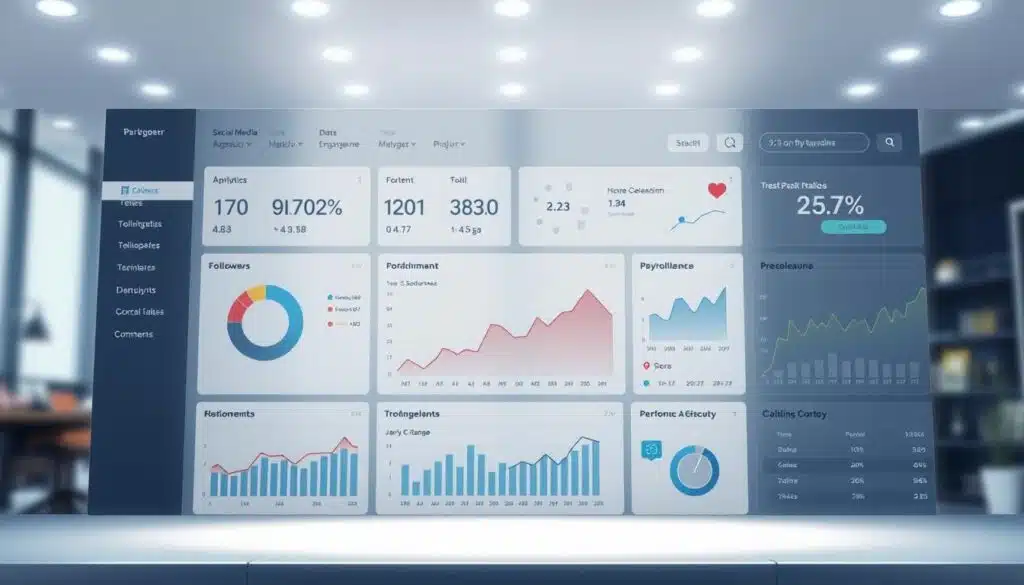
You want fast answers without extra setup. Native dashboards on Instagram, Facebook, X, LinkedIn, TikTok, and YouTube give you that. They show basic metrics like likes, comments, shares, follower count, impressions, reach, and video views. Use them for quick audits and to validate a post-level hunch before you dig deeper.
What native platforms give you
Instagram insights and Facebook analytics deliver post and story-level stats, audience demographics, and simple timing suggestions. TikTok analytics offers view trends and watch time for short-form content. LinkedIn and YouTube provide engagement and performance signals geared to professional and long-form formats.
Quick wins: using native dashboards for immediate insights
Open a native dashboard and you can spot top-performing posts in minutes. Use those takeaways to repost, repurpose, or boost content. For baseline KPIs like impressions, reach, clicks, and follower growth, native social analytics are usually enough. Pair the platforms with a URL shortener to track clicks without a heavy analytics stack.
Limitations of native analytics and when to move to a tool
Native tools become slow when you manage many profiles. They rarely offer cross-channel benchmarking, content pillar analysis, industry comparisons, or autoreporting. If you need to tie campaigns to installs or revenue for a product team or game studio, you must combine platform data with attribution and ad intelligence.
Consider upgrading when you require consolidated historical views, multi-account benchmarking, or automated SMART KPI reports. Pick a third-party solution if your workflow needs scheduled reports, deeper funnels, or integration with ad and product analytics.
| Use case | Native analytics strength | When to use analytics tools |
|---|---|---|
| Quick post checks | Instant post metrics, basic audience info | Not needed for single-account, one-off checks |
| Baseline KPIs (impressions, reach, follower growth) | Reliable daily and weekly snapshots | Use tools when you need cross-channel KPI rollups |
| Multi-profile reporting | Fragmented dashboards per platform | Move to tools for consolidated reporting and scheduling |
| Attribution to installs or revenue | Limited visibility into downstream conversions | Essential for product teams, game studios, and paid campaigns |
| Benchmarking and industry comparisons | No unified market benchmarks | Choose tools when competitive context matters |
Choosing the right analytics tool for your needs
Find a tool that fits your team’s work style and what you measure. Start by listing your top KPIs. Then, look for features that match those goals. A good match makes setup faster and keeps reports useful.
For small teams or solo marketers, look for tools that are easy to use. Buffer Analyze and Socialinsider have simple dashboards and quick exports. They help you show value without a long learning curve.
Agencies need tools that support client accounts and white-label reports. Sendible and Sprout Social offer these features. They also scale well for multi-client workflows and polished dashboards.
Large organizations need tools for deep listening, security, and integrations. Hootsuite and Brandwatch provide advanced monitoring and audience intelligence. They also meet compliance needs.
Game studios need tools that track real-time data and connect different systems. Make sure the tool integrates with attribution platforms and in-game events. This helps link player value to installs.
Look for tools that support multiple platforms like Instagram, YouTube, and TikTok. Historical data helps spot trends and set baselines. AI insights or smart summaries speed up analysis when you’re busy.
Try before you buy. Socialinsider offers a 14-day trial, Hootsuite a 30-day option, and Social Status a 7-day test. Use trials to see if the UI fits your process and exports meet stakeholder needs.
Consider your budget and how the tool will grow with you. Entry plans start at $5–$99 per month for simple needs. Higher tiers offer advanced features, support, and custom SLAs.
Ask about data retention and security standards like ISO 27001. This is important if you handle sensitive user data. Studios and publishers should confirm real-time feeds and segmentation tools.
Remember SMART KPIs when evaluating dashboards. A tool that helps measure specific, measurable, attainable, relevant, and time-bound goals saves time. It sharpens your decisions.
Top tool types and examples that make tracking fast and fun
Choose tools that fit your workflow and budget. Some platforms focus on comparing different channels and analyzing content. Others are great for listening, measuring influencers, or simple dashboards for solo teams. You want to get the information quickly, not sift through CSVs.
For a big-picture view, use multi-platform benchmarking tools. Socialinsider is top-notch for this, with features like cross-channel analysis and competitor benchmarking. It also has an AI Key Insights Summary and stores data for two years. Plus, it connects to tools like Google Looker Studio and Power BI for deeper data dives.
For large-scale listening and alerts, go for platforms designed for big teams. Hootsuite is great for this, with features like social listening, trend tracking, and spike alerts. It also has collaboration tools and paid and organic measurement, helping with strategy.
Paid-campaign and influencer platforms make comparing ads and organic content easy. Social Status offers a clean Ads Feed and influencer campaign tracking. It also provides demographics and white-label reports, helping to justify ad spend and show partners their impact.
Hashtag and sentiment trackers catch buzz in real-time. Keyhole is excellent for this, with live monitoring and sentiment scoring. It helps spot trends early and measure campaign reach accurately.
For solo entrepreneurs and small teams, fast and clear metrics are key. Buffer Analyze provides a simple overview, top-post sorting, and organic versus paid comparisons. It has an affordable entry plan and a free tier, making it perfect for tight budgets.
Game and app developers need tools that link social insights to player behavior. Game analytics tools like GameAnalytics and IQ Suite focus on player acquisition and engagement. They offer attribution, LiveOps segmentation, and prebuilt pipelines, linking creative performance to revenue.
| Tool Type | Example | Key Strengths | Best For |
|---|---|---|---|
| Multi-platform benchmarking | Socialinsider | Cross-channel reports, competitor benchmarking, AI summaries, 24-month history | Agencies and marketers needing comparative performance |
| Enterprise listening & monitoring | Hootsuite | Social listening, spike alerts, team collaboration, paid + organic measurement | Large teams and crisis monitoring |
| Paid-campaign & influencer | Social Status | Ads Feed, paid/organic breakdown, influencer tracking, white-label reports | Advertisers and influencer programs |
| Hashtag & sentiment tracking | Keyhole | Real-time hashtag tracking, sentiment analysis, strong reporting | Campaigns reliant on hashtags and trend detection |
| Simple analytics | Buffer Analyze | Clean UI, top-post sorting, affordable plans, free tier | Solopreneurs and small marketing teams |
| Game & app analytics | GameAnalytics, IQ Suite | Player funnels, LiveOps segmentation, ad and monetization intelligence | Game studios tracking acquisition, engagement, monetization |
How to run a competitor and industry benchmark analysis
Start with a clear goal. Do you want to beat a rival in engagement, match their posting, or copy their content? A focused analysis keeps your research tight and useful. Use social media benchmarking to find gaps in posting, engagement, and content.
Sprout Social’s guide helps you know which metrics to collect first.
What benchmarks reveal about cadence, engagement, and content
Benchmarks show how often top performers post and what formats get the most reactions. You learn the best posting frequency from those who grow followers and impressions. Industry benchmarks show if your content pillars are working or need a change.
Practical steps to collect competitor data fast
Choose three to five direct competitors and one brand you admire. Track weekly follower changes, engagement rate, and post types. Use tools like Socialinsider or Hootsuite to speed up collection and filter by country or follower size.
Automate what you can. Look at historical spikes and map them to campaign dates to see what worked. For apps and games, include ad creative and store trends with MarketIQ or creative performance tools to broaden your analysis.
Using industry comparisons to set realistic KPIs
Turn observations into SMART targets. If benchmarks show a 4% engagement rate, aim for a 1–2 point improvement in six months. Use baseline data to make those targets defendable to stakeholders.
| Metric | What it shows | Actionable benchmark |
|---|---|---|
| Posting frequency | Cadence that keeps reach steady | Match top competitor; test ±1 post/week |
| Engagement rate | Content resonance and community health | Surpass industry benchmarks by 1–2 percentage points |
| Top content pillars | Which themes drive shares and saves | Shift 20% of content to high-performing pillars |
| Follower growth | Audience momentum versus competitors | Increase growth rate by X% vs. competitor average |
| Video plays / watch time | Attention and creative effectiveness | Optimize thumbnails and openers to lift watch time 10% |
Run this routine monthly at first, then move to quarterly once you have stable trends. Regular analysis keeps your team nimble and your KPIs grounded in industry benchmarks.
Turn metrics into decisions: actionable analysis and content strategy tweaks
You need a clear path from numbers to action. Start by visualizing trends, clicking into spikes and dips to see which posts drove change. Use content pillar analysis and manual tags alongside AI tools to reveal repeatable wins and weak spots for content strategy optimization.
Spotting patterns: content pillars, post types, and timing
Plot performance over time and align peaks with post formats—video, carousel, single image—and topics. Watch time and completion rates tell which hooks keep attention. Look for pillars that consistently outscore others on engagement and CTR to refine your publishing mix.
Use cohort views to compare new versus returning audiences. Game studios and apps leverage real-time segments to test LiveOps moves; you can borrow that mindset to fine-tune posting windows and creative length.
When to double down versus when to pivot
Double down when content outperforms across multiple KPIs and holds up versus competitor benchmarks. Pull back and pivot when CTR, watch time, or engagement drops or when industry comparisons suggest a different tactic wins. A 2% engagement rate means different things by audience size, so weigh metrics with context.
Keep reviews regular and short. Recalibrate KPIs as business goals change and avoid chasing vanity metrics that flatter but do not convert.
Using AI summaries and autoreports to build a recommendation deck
Save time with AI social insights that generate concise Key Insights Summaries and autoreporting recommendations. Turn those outputs into a recommendation deck with clear tests: creative swaps, cadence tweaks, and A/B ideas for landing pages or CTAs.
Pair human judgment with machine summaries. Use the social metrics guide to structure your reporting and follow the 70/20/10 rhythm: proven content, variations, and experiments. That combo makes actionable social media analysis both repeatable and agile.
| Action | Signal to Watch | Next Step |
|---|---|---|
| Double down | Consistent high CTR, watch time, and saves | Increase spend, reuse creative, test similar topics |
| Pivot | Dropping engagement or poor competitor performance | Run A/B for format, shift pillar focus, revise CTA |
| Experiment | Mixed signals across segments | Launch small tests, use cohort analysis, track conversion lift |
Use autoreporting recommendations to free up time for higher-level moves. When AI highlights a pattern, translate it into a testable plan and measure impact against conversion and business metrics. That loop turns data into profitable next steps.
Reporting like a pro: dashboards, templates, and stakeholder-ready insights
Your reports should show real impact, not just numbers. Executives and clients want to see how your efforts lead to business growth. Use simple visuals and clear calls to action so they can act quickly.
Design reports around specific goals and schedules. Start with a one-page summary and add more details as needed. Include context for any changes so leaders understand the reasons behind the numbers. Using templates helps keep your reports consistent and saves time.
Branded social dashboards make your reports look professional and trustworthy. Tools like Google Looker Studio and Power BI allow you to create live links that update automatically. You can also find templates and guidance on building dashboards at Sprout Social.
Automating reports saves a lot of time. Set up autoreporting to send out PDFs, PPTs, or live dashboards automatically. Platforms like Socialinsider and Social Status offer scheduled sends, and integrations help tie your reports to ad and app metrics.
For game studios and apps, connect social media results to how you acquire and keep players. Create a table that maps your dashboards and templates to your audience and goals. This keeps your reports focused on growth and monetization.
| Report Type | Primary Audience | Cadence | Key Metrics | Best Use |
|---|---|---|---|---|
| Engagement Dashboard | Social team, marketing | Weekly / Monthly | Impressions, engagements, link clicks, conversions | Test content resonance and creative tweaks |
| Brand Awareness Dashboard | Marketing teams, execs | Monthly / Quarterly | Reach, impressions, mentions, sentiment | Track share of voice and earned value |
| Customer Care Dashboard | Support, product, sales | Monthly | Response rate, time to action, resolution rate | Improve service SLAs and satisfaction |
| Competitive Analysis | Strategy, executives | Monthly / Quarterly | Market share, competitor post frequency, engagement rate | Positioning and content strategy adjustments |
| Executive / BI Dashboard | Leadership, stakeholders | Quarterly / Yearly | Share of voice, earned media value, ROI, retention | High-level business impact and decision support |
Keep your reports short, visual, and focused on SMART goals. By using branded social dashboards and autoreporting, you can spend more time on strategy. This way, you deliver the clear, trusted insights your stakeholders really care about.
Common tracking mistakes and how to avoid them

You want clear answers from your social data, not chaos. Many teams fall into easy traps that waste time and hide real performance. Spotting social tracking mistakes early keeps your reports useful and your team focused on growth.
Chasing vanity metrics instead of KPIs
Likes and raw follower counts feel good, but vanity metrics rarely link to business goals. Tie every metric to a KPI like CTR, conversion rate, or CSAT. That way you measure impact, not applause.
Set reporting rules that prioritize conversions and engagement quality. Use dashboards that surface those KPIs so decisions come from outcomes, not from chasing attention.
Ignoring historical and seasonal context
Data without context looks random. Historical trends and seasonality explain spikes and dips. Build baselines from past months to spot genuine shifts.
When you review campaigns, compare year-over-year and week-over-week. This reduces false alarms and helps you avoid short-term reactionary moves.
Poor tagging and messy content pillars that ruin analysis
Inconsistent tags make performance impossible to compare. Good tagging best practices start with a simple taxonomy: format, pillar, campaign, and goal. Keep the list short and train the team to use it.
Consider AI-assisted tagging if manual work slows you down. Clean tags unlock reliable content insights and fast A/B tests.
Overcomplicating tools — when simplicity wins
Buying enterprise software for a one-person shop creates friction. Pick tools that match your needs and scale. Simple dashboards and autoreports save hours and reduce errors.
Integrate social data with attribution and monetization systems to avoid silos. Use flexible pipelines and secure partners that follow ISO 27001 and ePrivacy standards when handling user data.
If you want a practical guide to implement these fixes and avoid social analytics pitfalls, check this resource on success with social media metrics: success with social media metrics.
- Audit tags and content pillars every quarter.
- Limit vanity metrics on exec slides; show conversions instead.
- Build a historical baseline before you change strategy.
- Choose a tool that fits your team size and goals.
Conclusion
Stop guessing and start acting. To track social media performance means choosing the right KPIs, tools, and schedule. This way, your work shows ROI and boosts content quality.
Start by picking three KPIs that match a single business goal. Then, run a short test. Try free trials of Socialinsider, Hootsuite, or Buffer to see which fits your needs.
Keep your social analytics simple. Use SMART KPIs, historical context, and avoid vanity metrics. Set a reporting rhythm—weekly for campaigns, monthly for strategy.
Use a competitor benchmark to keep your goals realistic and useful. This helps you stay on track.
If you work on products or games, focus on real-time segmentation and ad attribution. Use tools like GameAnalytics or AnalyticsIQ for this.
For a quick guide on which metrics to watch, check out Sprout Social’s guide: social media metrics.
Next steps: pick 3 KPIs, test a tool, set your reporting schedule, and run a competitor benchmark. Doing this will turn social noise into measurable business outcomes and clear strategic choices.