
You want to ship faster without sacrificing quality or a smooth user experience. This article shares practical app development hacks. They help you speed up mobile app development and growth while keeping UX top-notch.
In the United States, users expect fast, polished experiences on all devices. Modern tools like Flutter and React Native make cross-platform apps possible. But they also set high standards for speed and quality. These tips focus on real gains: faster shipping, fewer bugs, and happier users.
The hacks cover design, developer productivity, planning, automation, performance, and security. You’ll learn about Flutter’s MediaQuery, Flexible, Expanded, and AspectRatio for responsive design. Also, how systems like deep work, Kanban, and personal wikis save time.
Use these app development hacks for better app optimization and a smoother release pace. You’ll also see how to scale growth experiments with data and user psychology. The tips come from industry experts and technical posts, so you can try proven tools and habits.
Key Takeaways
- Small, focused changes can speed delivery and improve app optimization.
- Cross-platform apps benefit from tool-specific responsiveness techniques.
- README-driven development and personal wikis reduce context-switching waste.
- Lightweight automation and profiling cut regressions and improve performance.
- Growth-hacking skills—data, marketing, psychology—turn features into retention.
Why crafty hacks matter for mobile app development
You want your app to keep users and grow without spending hours on small changes. Crafty hacks are the bridge between idea and product-market fit. They boost development speed and keep quality high.
Boosting user retention with small, smart changes
Small UX tweaks can boost engagement quickly. A clear onboarding, timely tooltips, and a subtle progress bar help users grasp value fast. These changes are key for apps that want to keep users.
Try quick A/B tests and track results with analytics. Use events and cohorts to see what keeps users engaged. This data-driven approach makes each test cheaper and more likely to succeed.
Saving development time without sacrificing quality
Focus on thin features that solve the main problem. README-driven work and deep work sessions reduce bugs and improve efficiency. This leads to faster releases with fewer errors.
Automate smoke checks and use proven UI components. These steps cut down on repetitive work. They free up time for experiments that actually move the needle.
How growth-hacker skills translate to better apps
Growth hacking combines data analysis, digital marketing, and user psychology. When you apply this mix, you design experiments that answer real user questions. You test messaging that drives adoption.
Build a small team with a growth strategist, analyst, marketer, and engineer. Regular communication and shared goals help you test and iterate fast. This way, you aim for product-market fit while keeping users engaged.
Design and responsiveness tricks for cross-device UX
When you make interfaces that change, users enjoy the app more. Use smart methods so things resize well and stay easy to tap. This makes sure everything looks good on phones and tablets.
Use MediaQuery Flutter to get screen info. This lets you adjust things like padding and fonts for different screens. It makes sure your app looks good on all devices.
ConstrainedBox and SizedBox help keep things in check. They make sure elements don’t get too small or too big. This keeps your app looking neat on all screens.
Flexible and Expanded widgets are great for when space is limited. They help text and images fit without getting cut off. Expanded also fills any extra space nicely.
AspectRatio widget keeps images looking right, no matter the screen. It keeps logos and pictures the same size, which keeps your app looking good.
Make your app work well in both portrait and landscape modes. Use MediaQuery Flutter to change how things look. This makes your app better for different screen setups.
Test on real devices and emulators to make sure things work right. Focus on clear text and big buttons. Use device_orientation packages for automatic changes when the screen rotates. Small changes can make a big difference.
Productivity hacks developers actually use
You want to work faster without feeling overwhelmed. Start by planning focused blocks, tracking your emotional load, and having a quick ritual for interruptions. These steps make your work time predictable and your choices simpler.
Try deep work in 90-minute blocks that match your energy. Use a physical timer and treat each block as sacred. After a block, take a 20-minute break to reset. This pattern helps you finish tasks faster and makes fewer mistakes.
Keep your work-in-progress to 2–3 items. Use personal Kanban with columns like To Do, In Progress, Blocked, Review, Done. Tag tasks with feelings such as Excited, Anxious, Confident, Dreading. Emotional tags help you pick the task that fits your current state and improve developer focus techniques over time.
When an interruption hits, run a five-minute context switching ritual. Write where you left off and the next step, clear your desk, take three deep breaths, skim requirements, then set a tiny micro-goal. That short routine preserves flow and reduces the cognitive cost of switching.
Pair a dreaded task with an exciting one to keep momentum. Log outcomes after each deep work block so you can iterate on timing and task mix. Small experiments like these compound into big wins for developer productivity and your mental bandwidth.
For user-facing features, tie your workflow to real feedback. Use a short guide or checklist while testing so you don’t lose product context; see a practical approach at how to conduct user testing. That keeps deep work programming aligned with real needs.
Below is a quick reference to adopt these hacks in a week.
| Day | Focus Plan | WIP Limit | Emotional Tag Use |
|---|---|---|---|
| Monday | Two 90-min deep work blocks; planning session | 2 | Tag tasks before starting |
| Tuesday | Pair a dreaded task with an exciting one | 2 | Balance energy-driven picks |
| Wednesday | One deep work block; review progress logs | 3 | Re-tag based on midweek energy |
| Thursday | Experiment with timing; adjust break lengths | 2 | Prioritize confident tasks for reviews |
| Friday | Context switching ritual practice and wrap-up | 2 | Reflect on anxious tasks and plan mitigation |
README-driven and documentation practices that save hours
You want fewer surprises and faster handoffs. Start with a crisp README that defines purpose, APIs, edge cases, and test ideas before a single line of code. This README-driven development habit aligns the team and trims rework.
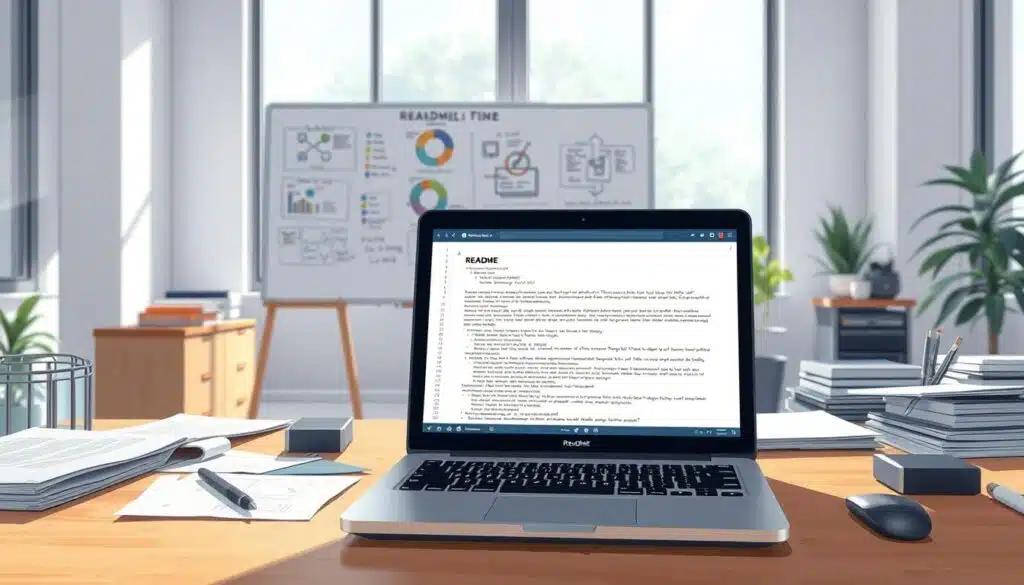
Write the README before the first line of code
Draft a one-page README for each feature that answers what, why, and how. Share it in the pull request so reviewers can confirm expectations. Teams that use README-driven development report fewer back-and-forths and clearer acceptance criteria.
“Future You” documentation: code snippets, gotchas, and mental models
Record the tricky reproduction steps and the mental model that helped you fix them. Keep short code snippets and a “Don’t Repeat These Mistakes” list. That saves you hours the next time the bug reappears.
Treat these notes like first-class artifacts. Add quick examples, expected inputs, and common pitfalls. Your future self will thank you during late-night debugging sessions.
Using a personal wiki for searchable memory
Capture patterns, decision rationale, and useful snippets in a personal wiki for developers. Choose Notion, Obsidian, or a GitHub wiki depending on workflow and offline needs. A searchable memory store speeds onboarding and reduces context-switching costs.
Link READMEs to the wiki pages that explain design choices, API contracts, and test plans. Make README verification part of PR reviews so documentation stays accurate and useful.
| Practice | What to Add | Tool Fit |
|---|---|---|
| Pre-code README | Goal, API sketch, edge cases, tests | GitHub README + pull request |
| Future You notes | Repro steps, snippets, mental models, pitfalls | Obsidian for local, Notion for team |
| Personal wiki | Patterns, onboarding guides, decision logs | Notion Obsidian GitHub wiki |
| Living docs | Links to design, API contracts, test plans | Combine README-driven development with wiki |
| PR validation | Checklist for README accuracy and test coverage | GitHub reviews and CI checks |
Testing, QA, and lightweight automation hacks
Keep testing fast and focused to ship with confidence. Start with a tiny, reliable suite of automated smoke tests that run on every build. These catch regressions early and free your team from repetitive manual checks.
Use local emulation for developer speed. Emulators let you iterate UI tweaks and flows in seconds. Pair that with device farm testing for true platform coverage when you need to validate hardware quirks and OS fragmentation.
Automating repetitive tests and smoke checks
Pick a minimal set of scenarios that cover login, navigation, and critical payments or sync flows. Run those as automated smoke tests in CI so each merge gives immediate feedback.
Favor tests that are resilient and quick. Spend time making selectors stable and retries sensible. That reduces flakiness and keeps your team trusting the automation.
Fast local emulation and device farm strategies
Work locally with emulators for layout and orientation checks. Use real-device runs on services like Firebase Test Lab or AWS Device Farm for a reality check across manufacturers and OS versions.
Adopt a split strategy: local emulation for dev loop speed, targeted device farm testing for release gates. This balances cost and confidence while keeping your pipeline nimble.
Integrating quick user-feedback loops for rapid iteration
Release small experiments behind feature flags and instrument events to trace drop-off points. Combine analytics with short qualitative surveys to get actionable signals fast.
Ship to beta channels, collect feedback, triage issues, and iterate. Tight user feedback loops make it easier to prioritize fixes that move metrics and delight users.
| Area | Quick win | Tooling example |
|---|---|---|
| Smoke coverage | 3–7 core scenarios run on every build | JUnit/TestNG with CI pipeline |
| Local feedback | Fast emulator cycles for UI and layout | Android Emulator, iOS Simulator |
| Real-device checks | Targeted runs on key devices and OSes | Firebase Test Lab, AWS Device Farm |
| User signals | Feature flags and short surveys | LaunchDarkly, Firebase Remote Config, in-app surveys |
| Tool selection | Balance ease of use with project needs | mobile testing tools |
Performance and profiling tips to make apps feel snappier
You want your app to feel instant. Start by profiling real user flows instead of guessing. Use native tools like Android Studio profiler, Xcode Instruments, and Flutter DevTools to spot slow CPU tasks, memory spikes, and janky frames.
Identify bottlenecks with profiling tools
Run traces for cold start and first meaningful paint. Capture CPU and GPU timelines to see where frames stall. Measure memory allocations to find leaks that hurt mobile app performance.
Instrument slow screens with simple timers. Log load times for network calls and render passes. Prioritize fixes based on real profiler data, not hunches.
Optimize rendering and avoid unnecessary rebuilds
In Flutter, prefer const constructors and lift state up so widgets rebuild less. Profile widget rebuild counts to detect thrashing. Learn to avoid rebuilds Flutter patterns that re-render large subtrees on minor updates.
Keep build() methods cheap. Cache computed layouts and move heavy work off the main thread. Use skeletons or placeholders so the UI appears responsive while data arrives.
Image and asset strategies for faster loads and lower memory
Serve images at device-appropriate sizes and modern formats like WebP to speed networking. Lazy-load offscreen images and cache them to reduce repeated downloads and reduce memory usage.
Compress large assets and prefer vector icons where suitable. Test different formats with your profiler to see actual memory and CPU effects on iOS and Android.
| Task | Profiler | Quick Fix | Expected Impact |
|---|---|---|---|
| Cold start delay | Android Studio trace / Xcode timeline | Defer heavy init, lazy services | Faster launch, better first impression |
| Frame drops | Flutter DevTools performance | Use const, reduce widget rebuilds | Smoother animations, improved mobile app performance |
| High memory | Memory profiler (Instruments / Android) | Compress images, cache more wisely | Lower RAM use, fewer crashes |
| Slow network images | Network profiler | Use image optimization mobile techniques and CDN | Faster loads, perceived performance boost |
| Frequent GC pauses | Allocation trace | Pool objects, avoid churn | Reduced jank, better responsiveness |
Cross-platform tool tricks and choosing the right stack
When picking a mobile tech stack, make a checklist. Consider who your users are, how fast you need to release, your team’s skills, and future upkeep. Small decisions now can save a lot of work later.
When to pick Flutter, React Native, or native code
For one codebase and quick updates, compare Flutter and React Native. Flutter offers consistent rendering and its own widgets. React Native uses native components and JavaScript’s vast ecosystem. Choose native iOS Android for top performance, complex tasks, or special APIs.
For fast starts, pair a cross-platform frontend with Firebase or Node.js. For complex systems, go native for the frontend and use a strong backend like Django or .NET Core. Find a practical guide to choose your mobile tech stack here.
Platform-specific UI tweaks with Cupertino and Material widgets
Match platform patterns to meet user expectations. In Flutter, use Cupertino widgets on iOS and Material on Android. Adjust spacing, fonts, and navigation to fit each platform.
React Native lets you swap components or tweak styles by platform. Small visual changes can make a big difference in user trust.
Reusing business logic while preserving platform feel
Keep UI layers thin and platform-agnostic modules for business rules. You can reuse logic across Flutter, React Native, and native projects. Extract validation, models, and core algorithms into shared libraries or services.
Designing for reuse makes analytics and growth tooling easier to add across the app. For a detailed look at framework trade-offs, see a comparison of Flutter vs React Native here.
| Use Case | Best Fit | Why |
|---|---|---|
| Rapid MVP launch | Flutter or React Native | Single codebase, faster time to market, reuse business logic |
| Platform-native UX and performance | native iOS Android (Swift, Kotlin) | Best fidelity, direct access to native APIs, fine-grained optimization |
| Consistent design across devices | Flutter | Rich widget library including Cupertino widgets to match platform conventions |
| Web-first or JS-heavy ecosystem | React Native | Leverages JavaScript skills, large third-party library support |
Growth-hacking your app: user psychology and analytics
You’re looking for quick wins that last. Start with a mindset that’s curious, measures everything, and feels for users. Use mobile insights to create hooks that really speak to people. Make small changes so you can test and learn quickly.
It’s key to mix data analysis with digital marketing and behavioral science. Learn to read mobile analytics dashboards and turn patterns into experiments. Use numbers and feedback from users to avoid chasing false leads.
Essential skills: data analysis, digital marketing, and user psychology
Learn about event design, funnel mapping, and cohort analysis to spot where users drop off. Master basic marketing copy, segmentation, and channel testing to grow your app. Use mobile psychology to guide behavior without being pushy.
Setting up metrics and experiments to measure growth hacks
Track DAU, WAU, MAU, and retention cohorts as key KPIs. Watch ARPU and LTV alongside CPI and CAC to see real value. The DAU/MAU ratio shows habit formation; aim for 20%.
Run controlled A/B testing mobile app experiments and use feature flags to control exposure. Keep hypotheses small, measure statistical significance, and combine numbers with short interviews. Use platforms like Firebase or Mixpanel to define events and funnels, and follow an iterative loop: hypothesize, test, analyze, scale.
Building a cross-disciplinary growth team to scale results
Assemble a team with diverse skills. A strategist sets direction, a data analyst validates tests, a marketer executes campaigns, and a developer implements features.
Keep experiments low-cost and easy to understand. Let the analyst own metrics, the marketer own creative variants, and the developer own deployment. This setup keeps things moving fast and clear.
| Metric | Why it matters | Practical target |
|---|---|---|
| Day 7 Retention (D7) | Shows early stickiness of the app | 20%–25% |
| DAU/MAU Ratio | Measures habitual use | ~20% |
| ARPU | Indicates monetization per user | Depends on model; track by segment |
| LTV | Combines retention and revenue to value users | Optimize above CAC |
| CPI / CAC | Acquisition cost per user | Lower than LTV for profitable growth |
| Funnel Conversion Rates | Pinpoints where users drop | Improve via A/B tests |
For a practical playbook and benchmarks, read a compact growth guide at growth hacking guide. Use it as a checklist for your next experiments.
Keep experiments focused, document results, and integrate successful tests into the product. This cycle of small bets, fast learning, and team alignment is key to lasting app growth hacking.
Developer wellness and sustainable workflows
Writing better code starts with taking care of your body and mind. Start with small habits that make a big difference. Use focused work blocks and set clear boundaries to keep your momentum going.
Try energy-based tasking by tracking your work for a week. Find your peak energy times and match tasks to them. This way, you work faster and feel less tired.
Energy-based todo lists to align tasks with your peak times
Make a list that shows the effort needed for each task. Put hard tasks like design and code reviews in High Focus slots. Save easy tasks like updates for later.
Watch your sleep, caffeine, and meeting load for a week. You’ll see patterns to plan your work better. This helps you stay productive and avoid burnout.
Kickstart technique and rubber duck debugging to overcome blocks
When a task seems too big, start with just five minutes. This Kickstart technique can get you moving. Begin with the smallest step, like opening a file.
Explain your code out loud. Rubber duck debugging helps find errors and improves your code. Keep a notebook or a plush duck by your keyboard to help.
Regular code-retreats and exploration hours to avoid burnout
Have code retreats regularly to practice and learn. Try new things like TDD drills or WebAssembly experiments. This keeps your skills sharp and your curiosity alive.
Make exploration hours a priority. Treat them like any other important meeting. These breaks help you avoid burnout by allowing for growth and learning.
Pair focused work with breaks. Use the Pomodoro technique or 90/30 cycles. Turn off notifications and switch between deep work and maintenance tasks. This helps you stay energized throughout the week.
For more on improving performance, check out these mobile app performance tips.
Security and privacy quick-win practices for mobile apps
You want strong mobile app security without months of rework. Start with a few tactical moves that raise the bar fast and keep users trusting your product.

Secure storage and safe handling of sensitive data
Use platform-recommended stores like Android Keystore and iOS Keychain for credentials and tokens. Avoid using plaintext in shared preferences or files, as it invites trouble.
Rotate secrets regularly, enforce TLS for transport, and scope third-party SDKs so they can access only what they need. These steps improve secure storage mobile practices and cut the risk surface.
Minimal permissions and transparent privacy UX
Request only the permissions you must. When you ask for location, camera, or contacts, explain why in context so users feel informed and not surprised.
Design privacy UX that lets people opt out and find settings easily. Clear explanations increase acceptance and help your app follow platform privacy expectations while enforcing permission minimization.
Automated scans and dependency audits to reduce risk
Integrate dependency scanning and vulnerability alerts into CI pipelines. Tools such as Dependabot or Snyk surface known issues before they hit production.
Run static-analysis linters and security checks on pull requests. Regular dependency scanning plus automated tests keeps your threat list short and your release cycles steady.
- Quick checklist: use Keystore/Keychain, enable TLS, rotate keys.
- Permission playbook: ask late, explain clearly, provide easy opt-outs.
- Pipeline hygiene: add Snyk or Dependabot alerts, run linting, automate scans.
These small changes deliver practical wins for privacy UX and mobile app security. You get better protection without slowing feature work.
Conclusion
This summary shows how to design, work, and grow better apps without getting too tired. Use tools like MediaQuery and Flexible widgets to make apps work well on all devices. Also, use focused work, like deep work blocks, to keep things organized.
Adding testing and security checks early helps find problems fast. This makes releasing apps quicker. Work with a team that uses data to improve the app. This way, you can see what works and make it better.
Begin with small changes, like a 90-minute deep work session or adding README notes. Try a short A/B test on a UI tweak. These steps help you make better apps and get real results from users.
These tips are easy to start with and can really help you improve. Use them a little at a time. Let data guide your work. Soon, you’ll see big improvements in your apps.