
You spend hours crafting posts, testing captions, and swapping emojis. But are those efforts turning into real results? Social media analytics tools help you cut through the noise and find the signals that matter.
Think of social analytics as your backstage pass: it shows who’s engaging, how your audience grows, and which campaigns actually drive clicks and conversions. From HubSpot and Sprout Social to Google Analytics and Brandwatch, the right analytics platforms give you social reporting that ties activity to business outcomes.
In 2025, data alone isn’t enough. AI-driven analysis digs deeper—spotting sentiment shifts, trends, and hidden patterns in real time so you can act fast. This article will show you how social media insights move beyond vanity metrics and guide your choices across personal brands, SMBs, agencies, and enterprises.
Key Takeaways
- Social media analytics tools turn engagement and follower counts into actionable social reporting.
- Social analytics tie posts to traffic, leads, and ROI when paired with platforms like Google Analytics.
- AI-powered insights reveal sentiment and hidden trends faster than manual review.
- Choose analytics platforms that match your scale—personal, SMB, agency, or enterprise.
- Top tools to watch include HubSpot, Sprout Social, Hootsuite, Brandwatch, Tailwind, and Rival IQ.
Why Social Media Analytics Tools Matter for Your Brand
Your social channels are more than just selfies and memes. They need tools that turn activity into answers. Social media metrics show you what content works, who your audience is, and which posts lead to sales or sign-ups. This clarity helps you make smarter choices about your budget and creative work.
Beyond likes and shares: true business metrics
Likes are nice, but they don’t pay the bills. You should track engagement rates, audience growth, click-throughs, and conversion events. These metrics show how your content affects attention, retention, and customer value. When you report to stakeholders, numbers that show leads and sales are more impactful.
How analytics connect social activity to traffic, leads, and revenue (Google Analytics insights)
Google Analytics social traffic helps you see which platforms drive sessions and conversions. Combine this with data from HubSpot or Hootsuite to understand social attribution. This mix shows where to invest in paid promotion, which creatives to improve, and how social channels boost your ROI.
Use cases for marketers, agencies, and creators
Marketers adjust their posting schedule and content mix based on trends and audience segments. Agencies create custom reports with SocialPilot or Agorapulse for clients and compare competitors with Rival IQ. Creators find their best formats and monetize posts by linking engagement to conversions, boosting long-term revenue.
| Role | Primary Need | Example Tool | Key Business Metric |
|---|---|---|---|
| Marketer | Optimize content mix and timing | Hootsuite | Engagement rate and audience growth |
| Agency | Client reporting and benchmarking | Agorapulse | White-label reports and competitor share |
| Creator | Monetization and format testing | Tailwind | Top-post conversions and revenue per post |
| Growth Analyst | Attribution across channels | Google Analytics + HubSpot | Social attribution and conversion paths |
How to Choose the Right Social Media Analytics Tools
Finding the right tool is like looking for a power drill for a simple task. First, match your goals with the tool’s strengths. For deep listening and sentiment analysis, tools like Brandwatch, Brand24, or Keyhole are great. For reporting and scheduling, Hootsuite, Buffer, Sprout Social, or Sendible are good choices. Google Analytics is key for traffic attribution.
Match features to goals: reporting, listening, competitor benchmarking, influencer tracking
Start by making a list of what you need to measure. Do you require white-label reports, real-time listening, or competitor analysis? This list helps you compare different tools.
If you focus on influencer campaigns, look for tools that track influencers well. IZEA and Rival IQ are good for this. BuzzSumo is great for seeing how content performs.
Platform coverage and integrations (Facebook, Instagram, X, TikTok, YouTube, LinkedIn)
Make sure the tool you choose works with the platforms you use. Not all tools support TikTok or YouTube equally. Also, check if the tool has mobile apps or browser extensions for on-the-go use.
Look for connections to CRM, ad platforms, and Google Analytics. This lets you link social data to website behavior and sales. HubSpot and other enterprise tools offer deeper CRM connections for better campaign tracking.
Scalability and team collaboration for agencies and multi-location brands
Check if the tool supports multi-account reporting and team collaboration. Agencies need tools that allow for white-label exports and API access. Sendible, SocialPilot, and Agorapulse are good for this.
Scalability is important for handling more accounts and users. Start with a small pilot to see if the tool can grow with you.
If unsure, try a free trial or demo. Use clear criteria to judge success. Compare features and check for platform integrations and influencer tracking as you decide.
Top Capabilities to Look For in Analytics Platforms
Choose a platform that makes complex data easy to understand. It should show you engagement trends, the best times to post, and how your audience grows. Look for tools with visual reports, data export options, and filters for detailed analysis.
Begin with detailed post-level data. Ensure the tool tracks impressions, saves, clicks, and reach for each post. Features like sliding timeframes and cohort growth tracking help spot trends, not just one-time highs.
Also, check how the platform shows audience demographics. Knowing your followers’ age, location, language, and top engagers helps tailor your content and ad spend. Being able to export demographic reports makes it easier to discuss with stakeholders.
Use automated tools to find the best times to post. Platforms like Buffer and Hootsuite suggest the best posting times. Tailwind even compares your monthly engagement rates visually.
Don’t forget about sentiment analysis. AI can detect changes in tone and emotion. This helps you react quickly to any negative trends or opportunities to boost awareness.
Combine sentiment analysis with social listening to monitor your brand’s health. Social listening tools show your share of voice, trending hashtags, and where conversations happen. This combination helps find influencers, detect complaints, and shape product feedback.
Lastly, check the platform’s reporting and automation features. Daily alerts, scheduled exports, and API access are key for growth. Make sure it supports team roles and white-label exports if you work with clients.
Tool Spotlight: HubSpot and Enterprise-Level Social Reporting
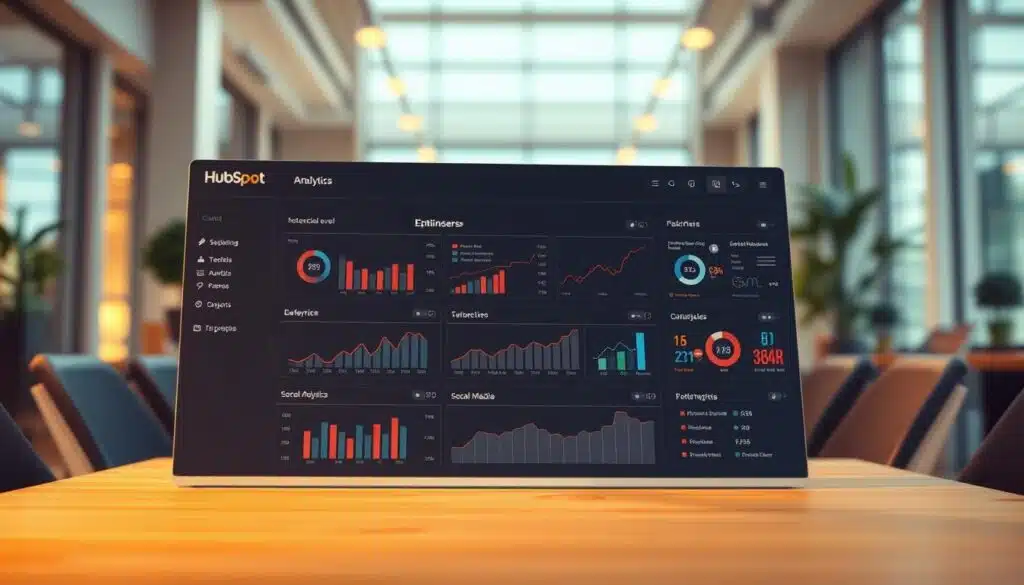
Running big campaigns means you need a reporting system that links social activity to sales. HubSpot’s social analytics offer detailed views of your platform and content. This helps your team understand what really drives results.
HubSpot shines in showing how different channels work together. It links social media to leads and sales, making it easier to see where your money goes. This clarity helps you tweak your campaigns for better results.
Detailed reports by platform, content type, and user activity
HubSpot’s reports break down data by network, post type, and user actions. You can filter to compare paid vs. organic, track engagement, and find top-performing posts. This saves time by avoiding the need to switch between tools.
For big teams, combining social data with email and sales metrics is key. This unified view helps make faster decisions and cuts down on reporting work for marketing teams.
Track traffic and leads from social to prove SEO-related ROI
Use conversion paths to see how social media drives site traffic and leads. This shows how social media boosts SEO by improving content rankings and search visibility.
Want to compare HubSpot with others? Check out a detailed comparison at HubSpot vs Hootsuite. See how unified attribution benefits bigger teams.
Why HubSpot fits larger teams running campaigns on one platform
HubSpot brings campaign reporting together for marketing, sales, and service. This single source of truth reduces data silos. It also makes it easier to manage and approve campaigns as your team grows.
HubSpot’s enterprise features include role-based access and campaign-level attribution. Teams can use insights to improve playbooks, automate follow-ups, and turn social signals into sales actions.
- Scalability: Works with multi-brand operations and global teams.
- Attribution: Maps social touchpoints to CRM objects and revenue.
- Optimization: Combines AI insights with native analytics for faster testing.
Tool Spotlight: Google Analytics for Social Traffic Attribution
You want to know if social posts really make a difference. Google Analytics shows you how social media leads to website actions. This way, you can see which posts bring in visits, engagement, and sales.
Start by adding UTM tags to your social posts and ads. This makes it easy to track social referrals. Then, GA4 events track small and big actions, helping you understand how well your content works.
Use Explorations to connect social clicks to website actions. Create a path from a social session to a lead form or sale. This shows you the real value of your content and ads.
Use demographics and user signals to improve your targeting. GA4 reports show who’s visiting from each social platform. This helps you focus on the best platforms and create messages that work.
Advanced setups let you track how much money comes from each post. You can set up events as conversions and track revenue. This helps you make better budget choices.
AI insights can make analysis faster. Use GA4 with predictive metrics to find likely customers and keep your campaigns personal and efficient.
Below is a quick reference to compare common GA4 tactics for social analytics and practical outcomes.
| GA4 Tactic | What it Measures | Why it Helps |
|---|---|---|
| UTM-tagged links | Channel, campaign, content-level clicks | Identifies social referrals and isolates performance by post |
| Events to conversions | Micro actions and macro goals (signups, purchases) | Enables accurate conversion tracking and ROI math |
| Exploration reports | Custom funnels and path analysis | Ties sessions to campaign actions for granular attribution |
| Demographics reports | Age, gender, location, device data | Improves audience targeting and creative choices |
| Predictive metrics | Conversion probability, churn risk | Supports personalization and retention strategies |
Tool Spotlight: Social Listening and Sentiment Tools (Brandwatch, Brand24, Keyhole)
Want to catch trends early and fix small issues before they grow? Social listening tools like Brandwatch, Brand24, and Keyhole help. They track mentions, share of voice, and sentiment in one place, so you can act quickly.
Brandwatch is great for big monitoring tasks, with tools for benchmarking and influencer tracking. Brand24 focuses on sentiment analysis and automated reports, making it easy for stakeholders to get updates. Keyhole tracks reach, comments, and competitor data to show where conversations are growing.
Monitoring brand mentions reveals what people are saying about you. It helps measure campaign success and watch what competitors are doing. This continuous tracking helps product teams and PR make better decisions.
Hashtag analytics is key for promotions or events. Tools like Brand24 and Keyhole show trending hashtags and help match content to topics. You can set up reports to send to execs or clients regularly.
AI in these tools clusters topics, flags emotions, and sends alerts in real-time. These features help find influencers and respond to crises quickly. Alerts let you act fast when something negative happens.
Use these tools to find influencers by their reach and engagement. Then, match them with your goals and prioritize outreach. Set up alerts for negative sentiment to address issues right away.
For more on using social listening in campaigns, check this social listening playbook. It offers practical steps and examples.
| Capability | Brandwatch | Brand24 | Keyhole |
|---|---|---|---|
| Social listening | Enterprise-scale dashboards with topic roaming | Real-time mentions and alerting | Streamlined mention tracking and trend spotting |
| Sentiment analysis tools | Advanced sentiment modeling and filters | Automated sentiment scoring for quick reports | Sentiment per post and trend timelines |
| Hashtag analytics | Hashtag performance within campaign views | Rising tag detection and share metrics | Hashtag reach, usage, and engagement rates |
| Influencer identification | Influencer mapping and audience overlap | Engagement-based influencer lists | Top authors by reach and interactions |
| Automated reporting | Custom dashboards and exports | Scheduled reports to email and Slack | Customizable exports for stakeholders |
| Crisis detection | Real-time alerts and topic clustering | Negative spike notifications and timelines | Threshold alerts and competitor comparison |
Tool Spotlight: Management + Analytics Suites (Hootsuite, Buffer, Sprout Social, Sendible)
You want one place for scheduling, measuring, and making reports for clients. Management suites combine publishing and metrics. This way, you don’t have to switch between apps. A unified dashboard helps you see trends, compare paid and organic content, and plan content confidently.
Hootsuite analytics, Buffer analytics, Sprout Social reporting, and Sendible agency tools each have their own way. Hootsuite covers many platforms and offers competitor reports. Buffer is simple but gives you paid vs organic insights. Sprout Social focuses on teamwork and approval for agencies. Sendible makes automated exports and white-label PDFs for clients.
Unified dashboards: post scheduling plus analytics
A unified dashboard shows post calendars and performance at a glance. You can schedule posts easily while seeing how they perform. This saves time and lets you quickly respond to changes.
Paid vs organic performance, white-label reports, and client-ready exports
For agencies, making reports look good is key. Choose platforms that let you separate paid from organic content, create white-label reports, and export files for clients. Automated reports save time and keep clients happy. For a detailed comparison, see a roundup on best social media management software.
Best-for scenarios: small teams, agencies, and scaling social calendars
Small teams and creators like Buffer for its simplicity. Agencies and growing SMBs often choose Sprout Social, Hootsuite, or Sendible for their needs. Pick based on your number of profiles, users, and integration needs.
| Use Case | Best Fit | Key Benefit |
|---|---|---|
| Solo creator or small team | Buffer analytics | Simple queueing, straightforward metrics, low learning curve |
| Multi-client agency | Sendible agency tools | Automated white-label exports and multi-account reporting |
| Enterprise or large team | Sprout Social reporting | Approval workflows, deep collaboration, cross-platform insights |
| Competitive benchmarking | Hootsuite analytics | Robust competitor reports and broad platform coverage |
Tool Spotlight: Visual-First Analytics (Tailwind, Later)
Your visual content needs metrics that match its look. Tailwind started as a Pinterest tool and now offers analytics for Pinterest and Instagram. It shows clear month-over-month engagement numbers. Later focuses on listening for visual platforms, helping you catch trends and creative cues from Instagram communities.
Use Tailwind analytics to test pin cadence and board performance. The platform’s reports show which pin styles and descriptions drive clicks. You can plan Pinterest pin schedules that respect seasonal peaks and audience habits.
Later social listening helps you spot trending hashtags and visual themes before they peak. Use these insights to tweak captions, swap images, or rework a carousel. This way, your Instagram performance can climb without guesswork.
Visual-first tools give you grid planners and content previews that match your feed’s aesthetic. This planning cuts guesswork when you measure month-over-month engagement rate changes. It optimizes visual content for conversions.
AI-driven image testing in these platforms finds which photo types, color palettes, or caption tones convert best. Apply those findings to demo-driven conversion strategies. Watch engagement translate to action.
Practical use cases include mapping an Instagram grid for product launches, optimizing Pinterest analytics to increase referral traffic, tracking MO-M engagement shifts, and leveraging hashtag and listening data. This engages niche visual communities.
Tool Spotlight: Competitive and Post-Level Analysis (Rival IQ, SocialPilot, Agorapulse)
You want sharp competitive insight and clear post-level data without drowning in dashboards. Choose tools that split high-level benchmarks from client-ready reports. This way, your team sees strategy, and your clients see results.

Rival IQ analytics gives you head-to-head competitor reports and live industry benchmarks you can act on. Use its best-time-to-post calculators and social listening to find gaps your brand can exploit.
SocialPilot benchmarking shines when you manage many client accounts. It offers white-label reporting, post-level analytics, TikTok metrics, and trends for impressions and engagement that scale for agencies.
Agorapulse reporting pairs clean exports with segregated performance metrics. It supports competitor analysis, influencer tracking, and automated reports that keep stakeholders updated without manual work.
- Benchmarking: Rival IQ analytics is ideal for industry trend spotting and tracking rivals over time.
- Client reports: SocialPilot benchmarking produces branded PDFs and dashboards for multi-account clients.
- ROI and workflow: Agorapulse reporting connects performance to team actions and automates recurring summaries.
Use Rival IQ for deep competitor analysis, SocialPilot for multi-account client reporting and TikTok insights, and Agorapulse when you need strong reporting plus ROI measurement. Combining these tools gives you both competitive intelligence and client-ready deliverables.
AI features in these platforms can surface trending competitor themes, cluster content ideas, and forecast gaps you can target. You gain tactical options faster when you pair automated discovery with manual review.
Social media analytics tools
Looking for a quick way to compare social media analytics tools? This guide lists key features, pricing, and user feedback. It helps you pick the right platform without guessing.
Comprehensive list of capabilities across 26+ top tools
First, make a list of must-have features. Look for post scheduling, sentiment analysis, and influencer ID. Also, check for multi-account support, API access, and best-time-to-post calculators.
Many tools now use AI for topic analysis and GPT for research. They offer real-time dashboards, white-label reporting, and connect with many platforms.
How to compare pricing, ratings (G2/Capterra), and platform apps
When comparing tools, balance features with price. Free trials and discounts are important if you’re unsure about spending.
Look at G2 and Capterra ratings for real user feedback. Focus on consistent reviews, not just high scores. Make sure the tool has mobile and web apps for on-the-go work.
For a quick guide, check out success with social media metrics. It helps with vendor demos and pricing comparisons.
Decision matrix: which tools work best for agencies, SMBs, and enterprises
Match your needs with the right tool. Agencies need white-label reporting and multi-account tracking. They also require robust collaboration features.
Small businesses want easy-to-use tools that are affordable. They need scheduling and analytics in one app.
Enterprises require CRM ties, revenue attribution, and advanced reporting. They need these for cross-team visibility.
| Audience | Top Picks | Must-have Features | Price Signal | User Rating Examples |
|---|---|---|---|---|
| Agencies | Sendible, SocialPilot, Agorapulse | White-label reports, multi-account, team roles, API | Mid-tier plans scale per account; annual discounts common | SocialPilot ~4.5 G2 / 4.4 Capterra; Agorapulse ~4.7 G2 |
| SMBs | Buffer, Hootsuite, Later | Scheduling + analytics, simple UI, affordable tiers | Free trials, low monthly plans, add-ons for analytics | Consistent mid-high G2 ratings; positive Capterra feedback |
| Enterprises | HubSpot, Brandwatch, Google Analytics (GA4) | CRM integration, attribution, enterprise security, advanced visualizations | Enterprise contracts; custom pricing and SLAs | High professional reviews on G2 and Capterra for reporting |
| Visual-first | Tailwind, Later | Pinterest/Instagram metrics, visual planners, content optimization | Tiered plans by profile count; trial options | Strong niche ratings on user platforms |
| Listening & Sentiment | Brandwatch, Brand24, Keyhole | Brand mentions, sentiment detection, hashtag analytics | Pricing varies by data volume and historical depth | High marks for coverage and accuracy in reviews |
| Competitive Analysis | Rival IQ, SEMrush Social, SocialPilot | Benchmarks, post-level breakdowns, competitor tracking | Monthly plans with team seats and data caps | Good industry scores on G2 and Capterra |
Use this matrix to narrow your choices. Then, try two-week trials to compare reports and UIs. For a quick list, focus on features and pricing to find the best value.
- Checklist: integrations, mobile/web apps, white-label reporting, sentiment analysis, influencer tracking, API access.
- Review focus: check G2 ratings and Capterra ratings for feature praise and pain points.
- Budget tip: account for add-ons and data export fees when you compare analytics tools.
Conclusion
The world of social media analytics tools is vast. You have management suites like Hootsuite and Buffer. There are also listening platforms like Brandwatch, visual tools like Tailwind, and big reporting tools in HubSpot. Each tool serves a different purpose, so it’s important to know what you need before choosing.
Start by figuring out your goals. Do you want to track attribution, listen to your audience, improve your content, or compare your performance? Once you know what you’re looking for, you can find the right tool.
Look at the features each tool offers and how well they match your goals. Check if they integrate with tools like Google Analytics 4, Salesforce, or ad platforms. Use free trials to see if a tool fits your needs.
Consider how customizable the tool is and if it offers white-label reporting. Also, check out what other users say on G2 or Capterra. This will help you choose a tool that really helps you measure your social media success.
Using tools with AI can help you find patterns and insights quickly. They can also give you recommendations to boost engagement and keep your audience interested. As your team grows, choose tools that help you turn social media data into real business results.
